
Coco AIUpdated 7 months ago
Over 650 of the fastest-growing Shopify brands trust Coco AI to turn WhatsApp into their #1 revenue channel. Think of us as Klaviyo for WhatsApp, but with an AI sales agent that doesn’t just send campaigns, it has real conversations with customers in real time.
Brands using Coco AI see an average 18–25% lift in recovered carts and a 30x+ ROI within 30 days. Our agent handles segmentation, campaigns, and automations, while also providing personalized support, product recommendations, and guided shopping inside WhatsApp.
Brands can fine-tune every interaction with our custom AI prompt window. Our one-click Shopify app syncs product catalogs instantly, creating personalized, automated conversations that feel as natural as chatting with a friend. At scale.
🚀 Our mission is simple: to put a personal shopper in every customer’s pocket.
Integration benefits
- Automatically create Gorgias tickets when a customer has a question in WhatsApp and respond to the customer in WhatsApp without ever having to leave Gorgias.
- See the full conversation history with the customer when answering tickets in WhatsApp conversations.
- Completely manage the ticket from Gorgias, but deliver the messages in a thread in WhatsApp so the customer never has to leave their text thread.
Steps
- From your Gorgias account, head to Settings → App Store → All Apps
- Find Coco AI on the list
- After selecting the app, click on the Connect App button
- Log in to Coco AI and authorize the app
- Once installed, there will be an HTTP integration created:

Upon connecting your Gorgias and Coco accounts, the Coco team will provide a phone number that will be connected to Meta and used for the WhatsApp integration.
Once a customer reaches out to your WhatsApp number, they will need to use a prompt (’human’, ‘support’, ‘agent’, etc.) in order to create a ticket in Gorgias: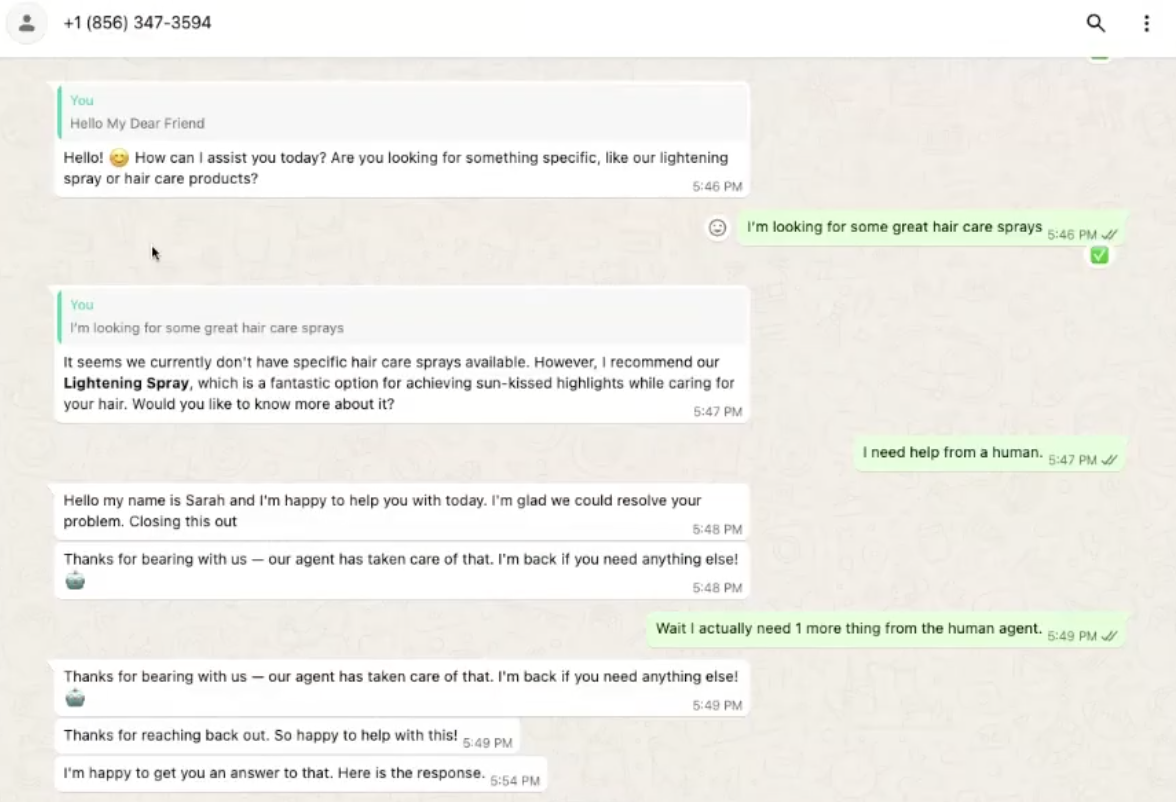
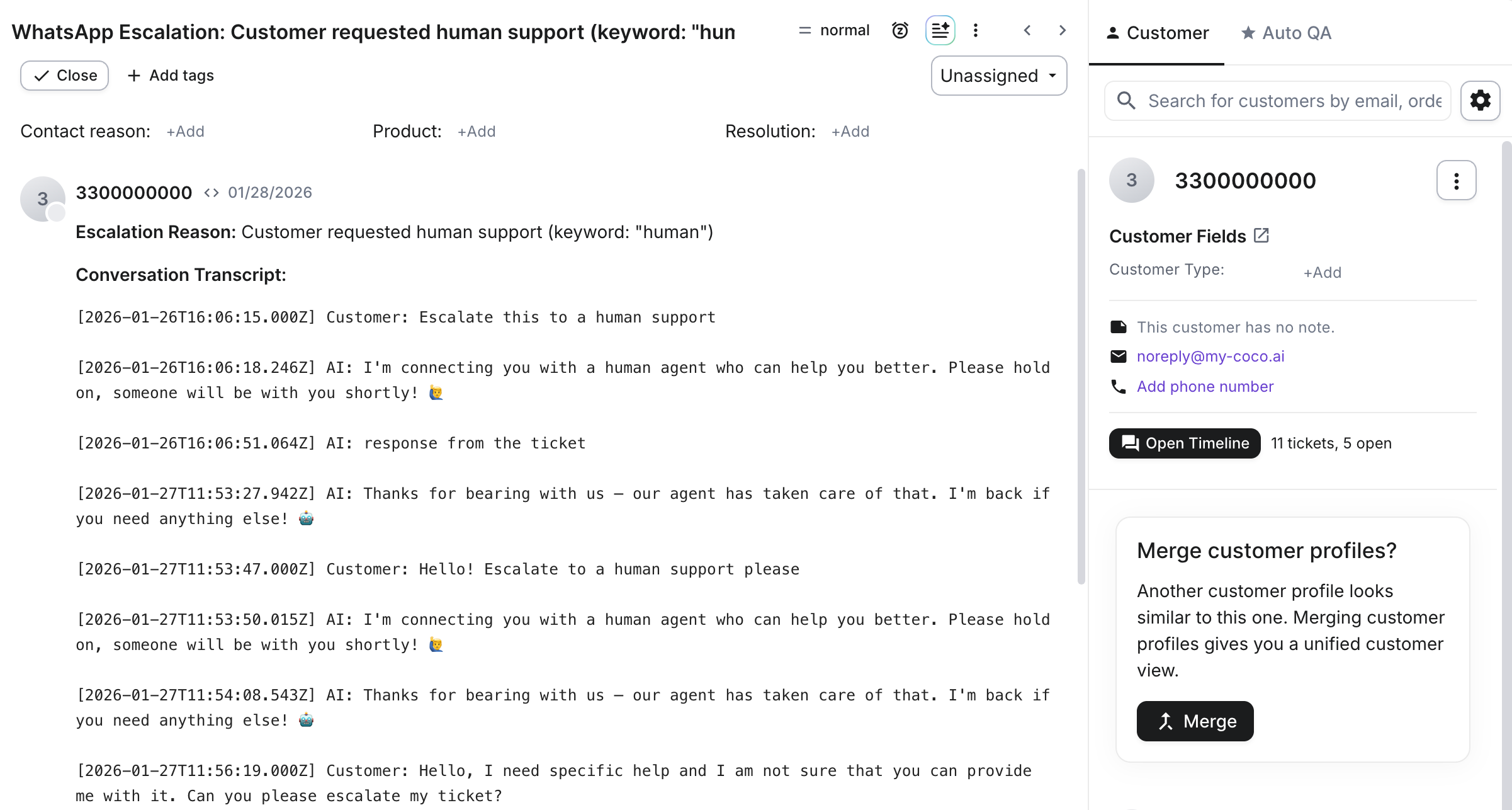
If a ticket is closed, a new message will reopen the previous ticket, but a new prompt needs to be sent again, like with the first message. If the ticket was not closed, messages will be added to the existing thread even if you resend the prompts.
With the first prompt, you will receive an opt-in message that you need to respond with a “YES” to if you wish to receive marketing messages, but the opt-in is not necessary if you just want to speak with support.
All messages are limited to the 24-hour service window in Meta, so if the customer reaches back out three days later, a new ticket will be created.
Currently, the integration supports only one Coco AI account connected to a single Gorgias account.
