
ComposioUpdated 6 months ago
Composio is an AI integration platform that empowers AI agents and Large Language Models (LLMs) to interact with over 250 real-world applications and tools. It simplifies complex API integrations and managed authentication, enabling developers to build powerful, action-oriented AI applications with ease. Essentially, Composio acts as a crucial bridge, allowing AI to perform tasks across various platforms.
Integration benefits
- Streamline customer support by seamlessly syncing Gorgias with Composio, automating workflows, and enhancing team collaboration.
- Improve efficiency by centralizing customer data, enabling faster responses and more personalized support with Gorgias and Composio.
Steps
- From your Gorgias account, head to Settings → App Store → All Apps
- Find Composio on the list
- After selecting the app, click on the Connect App button
- Log in to the app and click on Add Project, add your workplace name, and then click on Create Gorgias Auth Config:
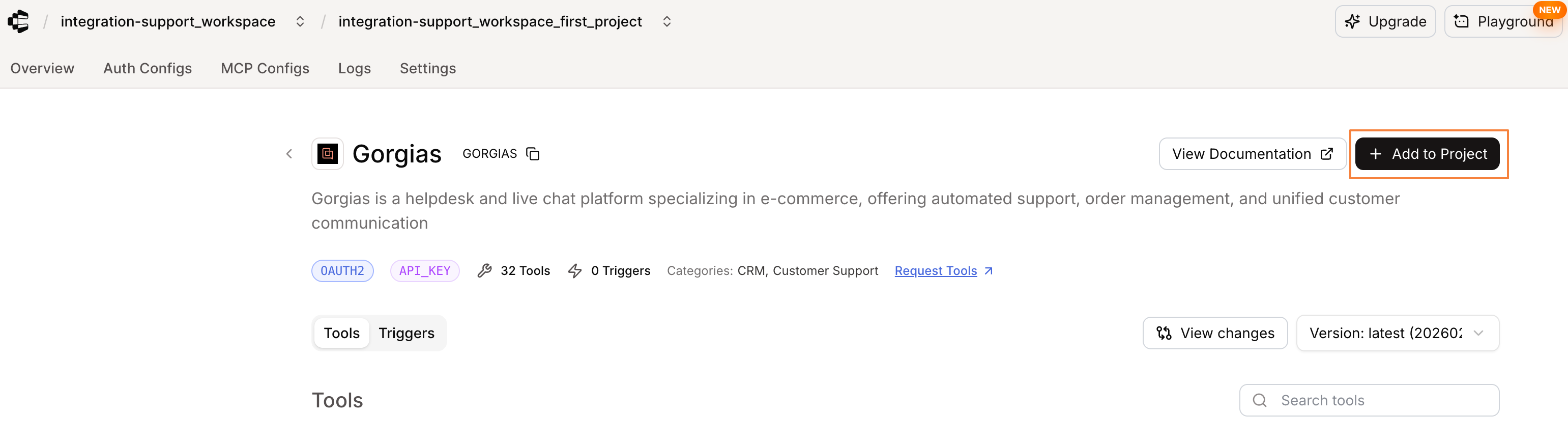
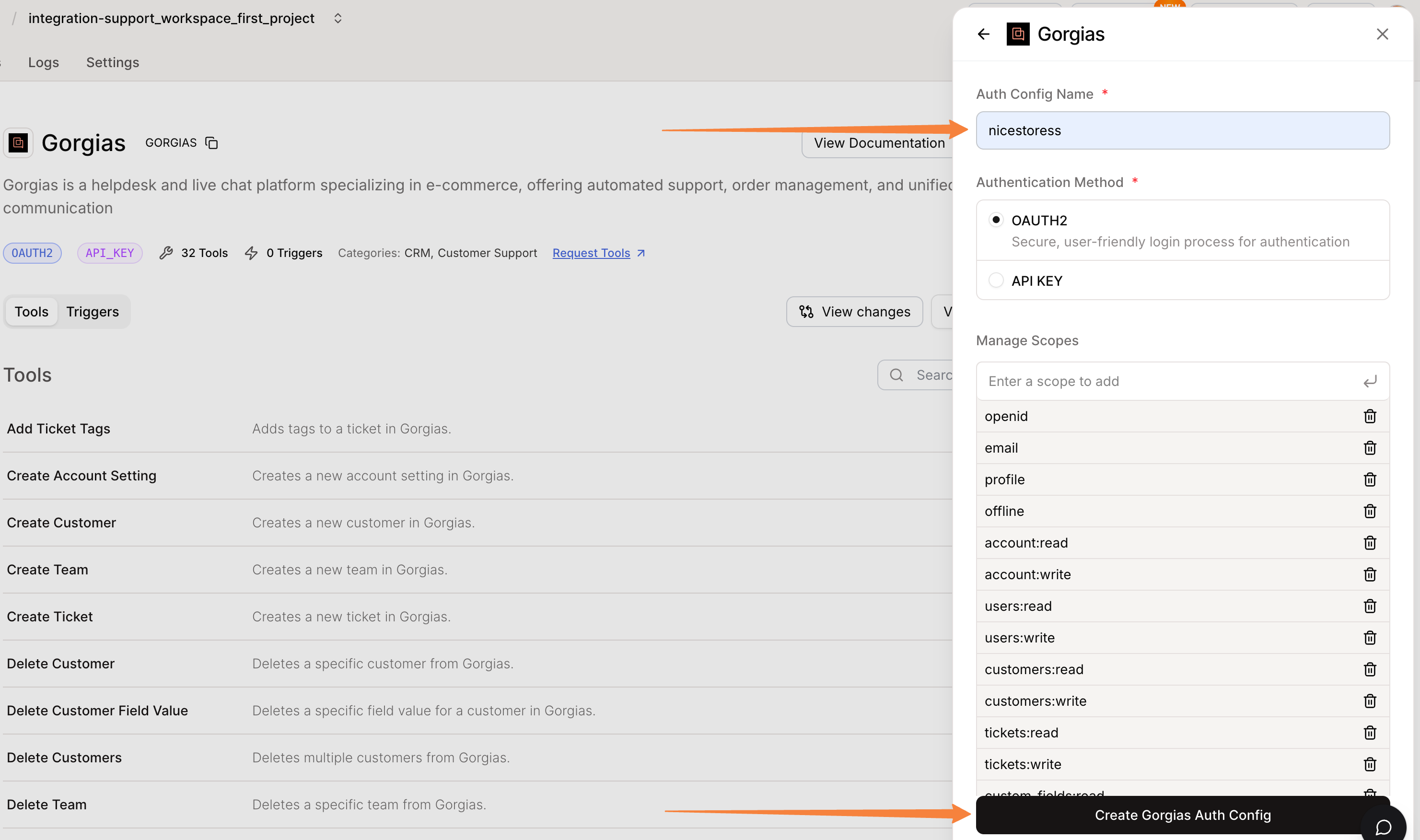
- Then, click on Connect account, add your Gorgias subdomain, and authorize the app
- Once installed, there will be no HTTP integration created!
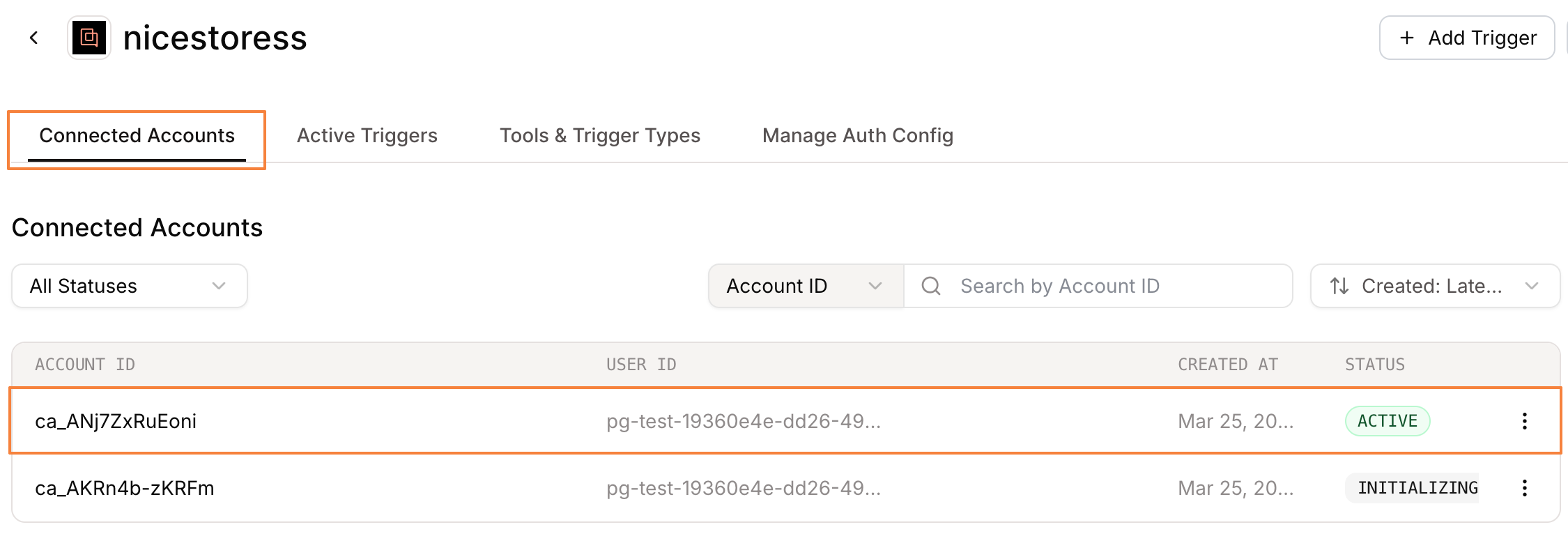
- If successfully installed, you will find an active integration under the Connected Accounts tab:
Create a desired trigger under Tools & Trigger Types: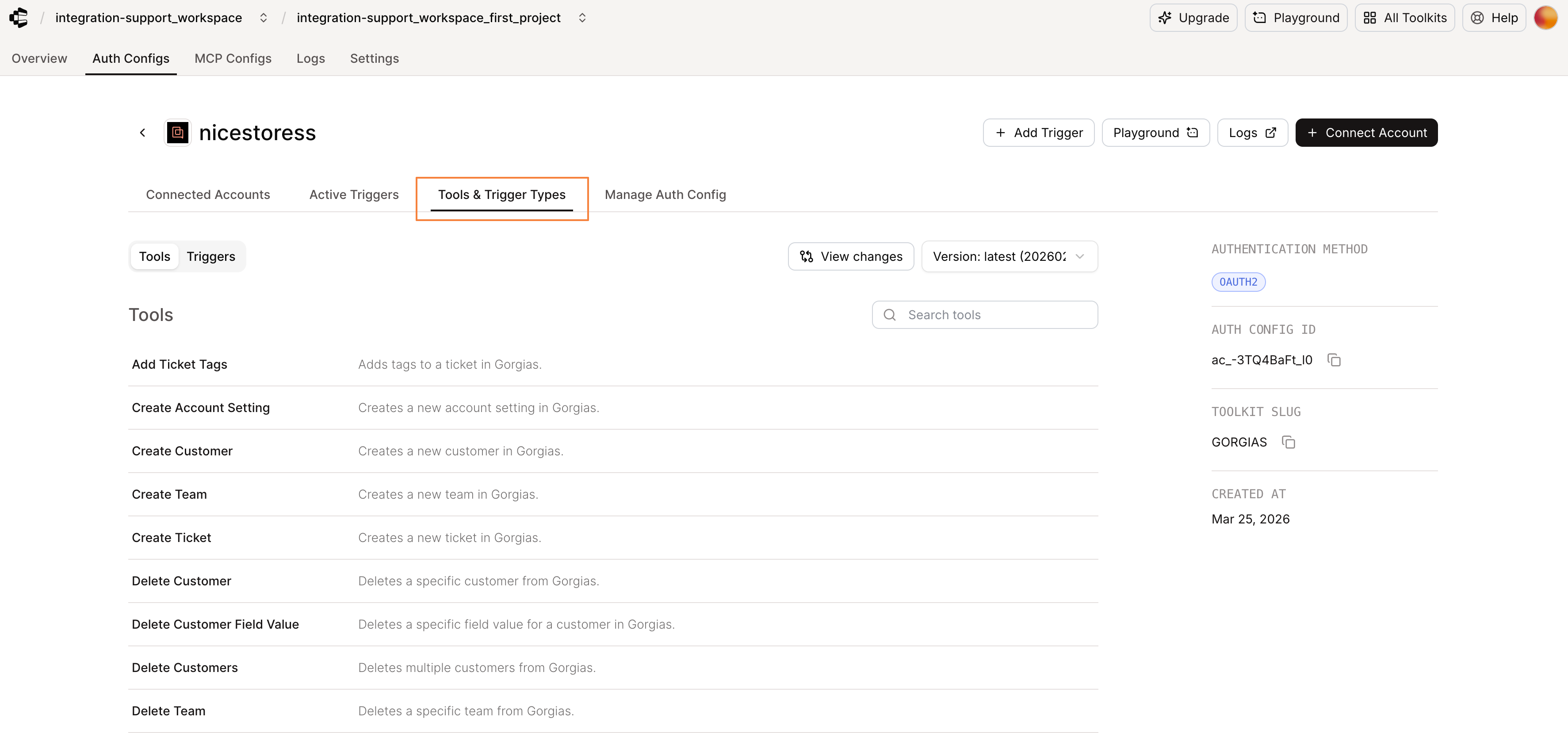
Composio tools for managing Gorgias data include, but are not limited to:
- List tickets
- Create ticket
- Delete ticket
- Update ticket
- Add ticket tags
- Remove ticket tags, etc.
By selecting one of these triggers, you will be performing the action in question and pulling up the desired information: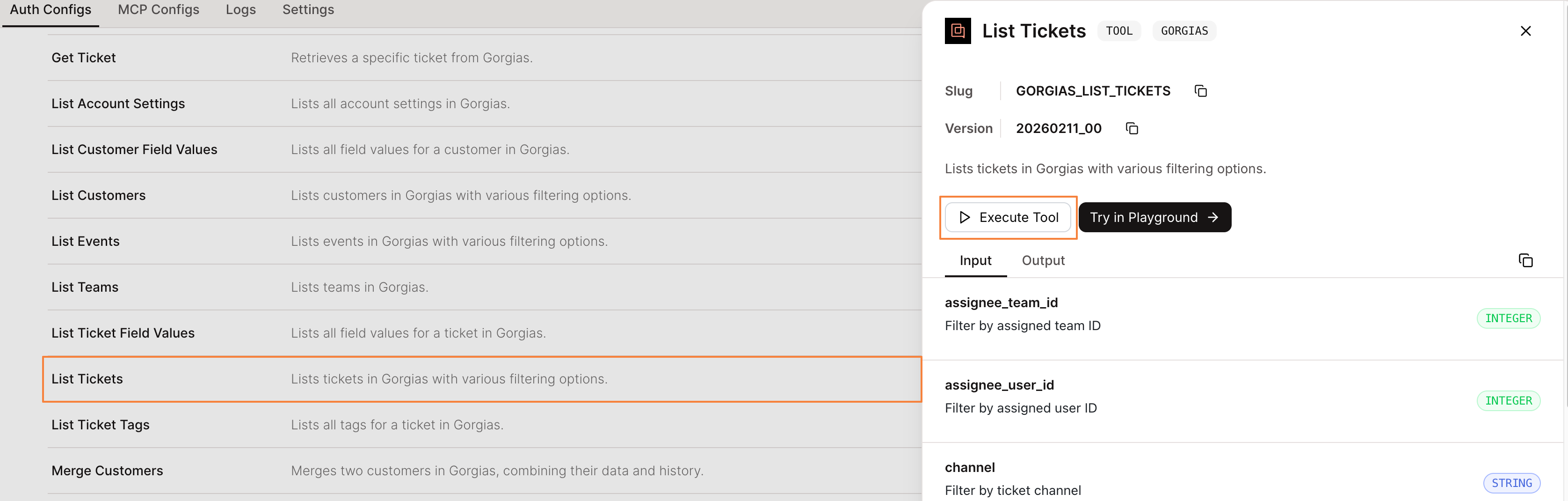
A successful result of the above action: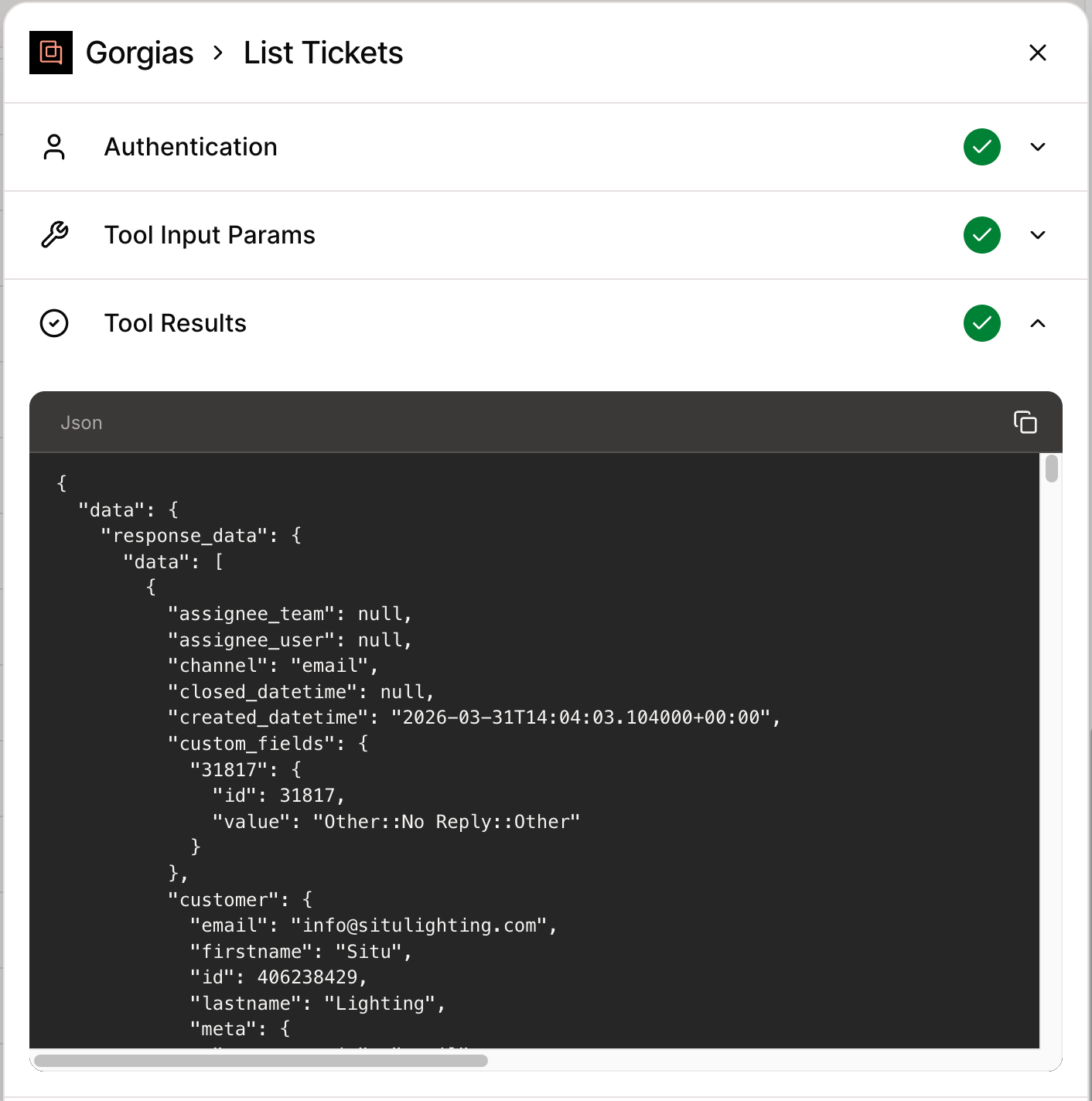
All actions work in the same manner, and once completed, they can be viewed under the Logs tab:
It is possible to connect multiple Gorgias accounts to a single Composio account!
