
Mage LoyaltyUpdated 7 months ago
With Mage Loyalty, build a powerful loyalty program that increases customer retention by rewarding brand loyalty. Customers earn points for purchases, social engagement, birthdays, reviews, and more, then redeem rewards such as discounts, free shipping, or free products.
Build a VIP tier system that automatically upgrades customers based on spend and rewards them with exclusive benefits and points multipliers.
Replace Shopify's default customer account with a full account sidebar. Points balance, VIP tier status, available rewards, referral link, orders, wishlist, and recently viewed products, all in one place. Customize the entire layout with a drag-and-drop builder or take full control with custom CSS.
Launch customizable referral campaigns that reward both the advocate and the friend, with sharing built in across email, social, and WhatsApp.
Run bonus campaigns to award extra points on specific products or collections.
All built for Shopify.
Integration benefits
- View customer loyalty points, lifetime points, VIP tier, and recent activity directly in the Gorgias ticket sidebar.
- Personalise macros and pre-made responses with live loyalty data like points balance, tier status, and referral links using template variables.
Steps
- From your Gorgias account, head to Settings → App Store → All Apps
- Find Mage Loyalty on the list
- After selecting the app, click on the Connect App button
- Log in to Shopify and install the app, then go to Integrations → Gorgias
- Add your Gorgias subdomain and authorize the app:
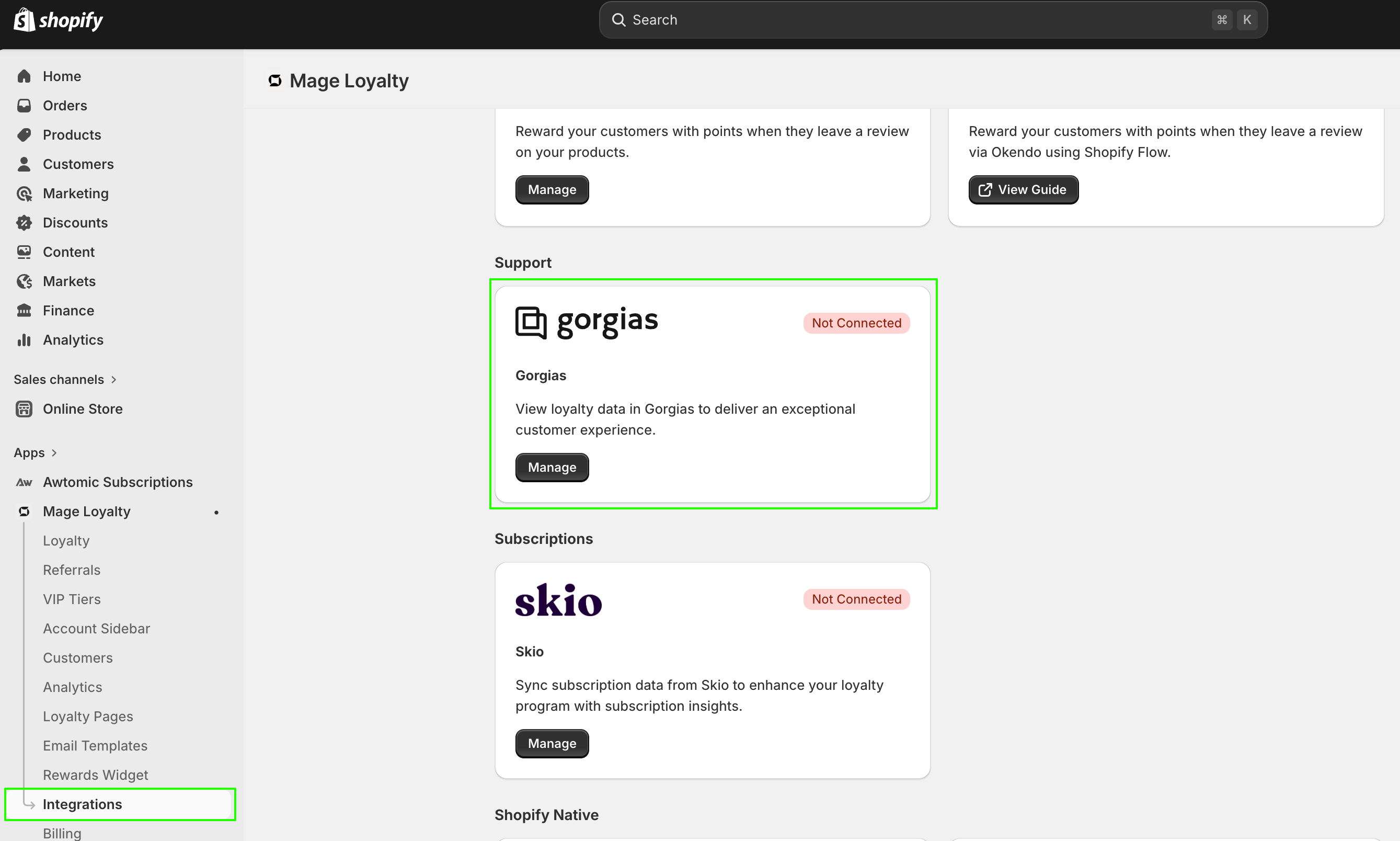
- Once installed, there will be an HTTP Integration created:

Once a Gorgias ticket is created for a customer enrolled in your loyalty program, you should be able to see the Mage Loyalty data in the right-hand sidebar widget: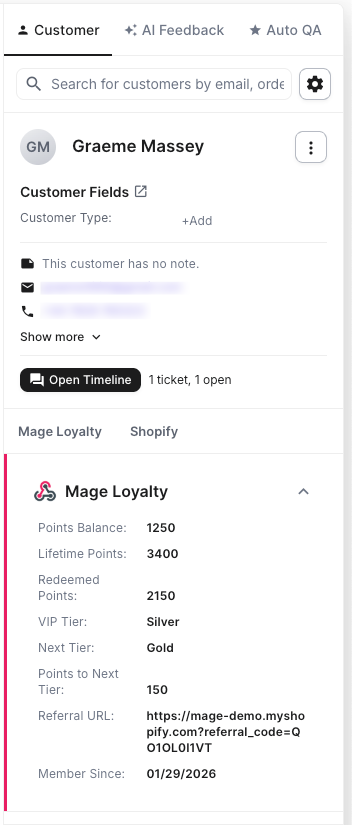
You can edit the points balance in the app, which will then reflect in the Gorgias widget.
What customer data is synced to the Gorgias sidebar?
When an agent opens a ticket, the Mage Loyalty sidebar widget displays the following data for that customer: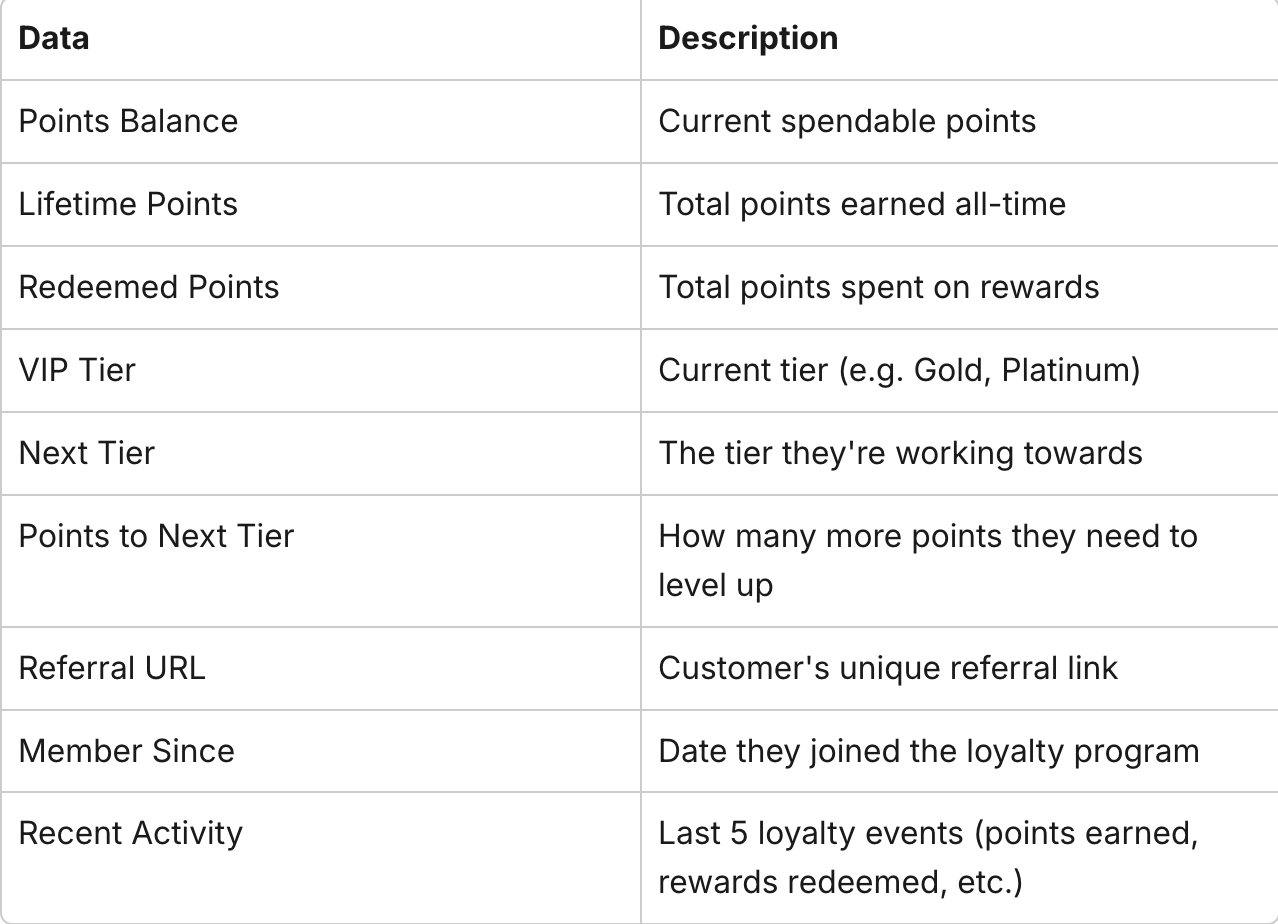
If a customer is not enrolled in your loyalty program, the sidebar will display default values (0 points, "Not enrolled").
The customer's email address in Gorgias must match their email in your loyalty program for the data to link correctly.
What template variables are available?
Template variables let you insert live loyalty data into your Gorgias macros and pre-made responses. When an agent applies a macro to a ticket, Gorgias replaces each variable with the customer's actual data - making replies feel personal without any manual lookup. The currently available variables are listed here, and shown below as well: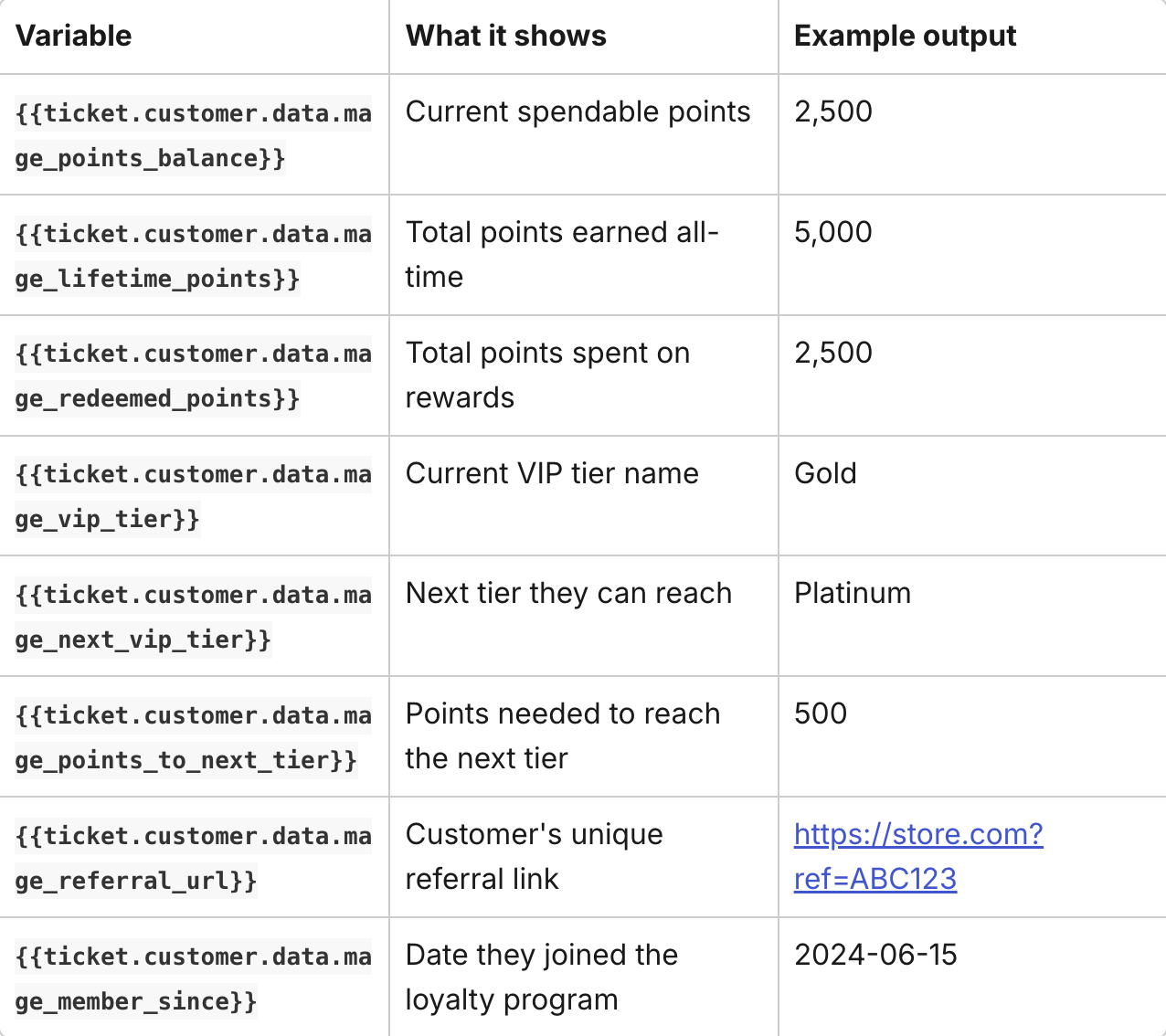
How to use the variables:
- In Gorgias, go to Settings → Macros
- Create a new macro or edit an existing one
- Paste any of the variables above into your response text where you want the data to appear
- Save the macro.
Template variables are populated after the first ticket interaction for a customer. If the customer has never had a ticket before, the variables may be empty until a ticket is created or a message is received.
Example macro: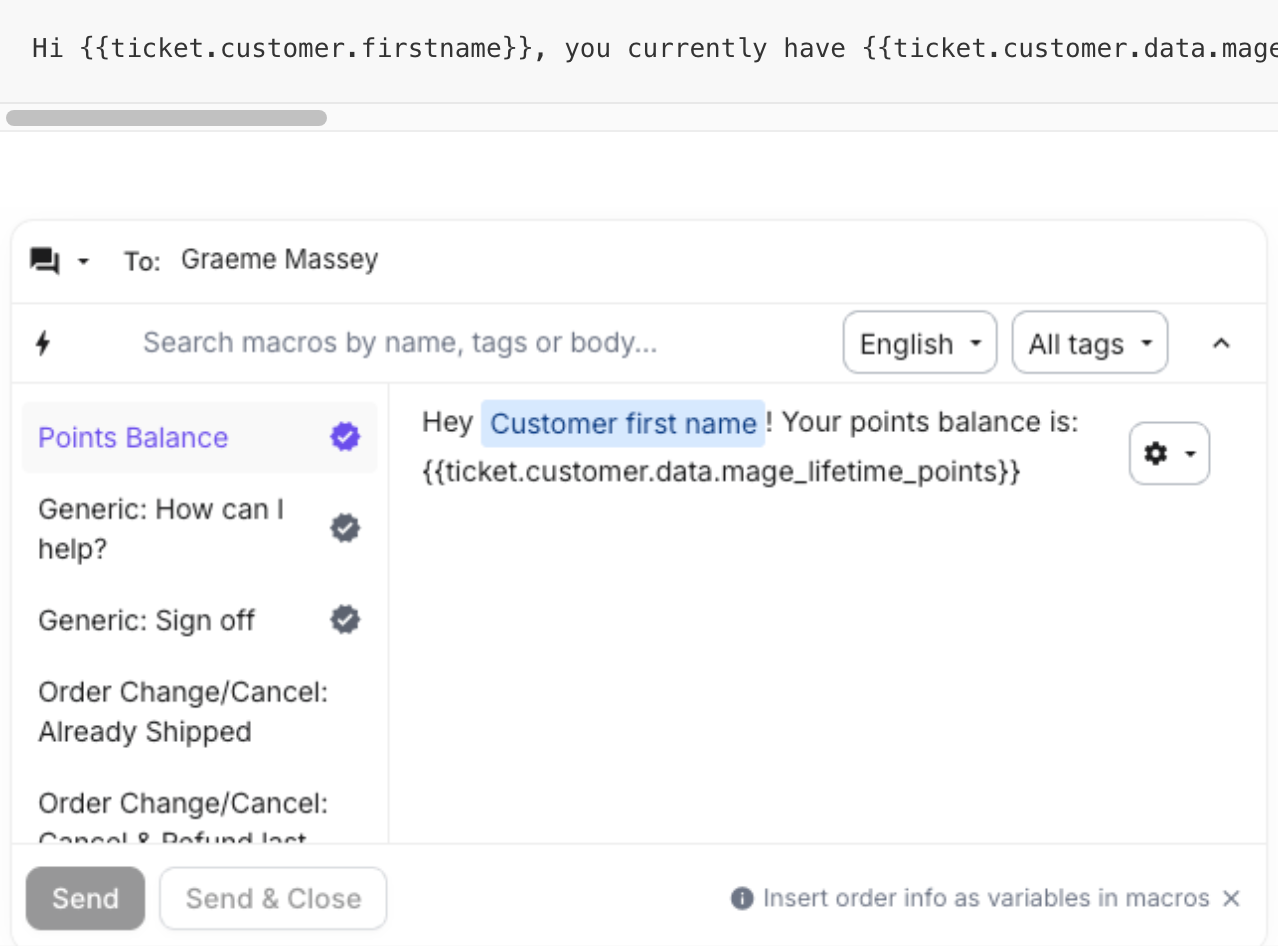
How to disconnect the integration
- In your Shopify admin, open Mage Loyalty and go to Integrations
- Click on the Gorgias integration
- Click Disconnect
- Confirm the action
This will remove the Mage Loyalty sidebar widget from your Gorgias account and revoke the connection. You can reconnect at any time by following the setup steps above.
