PreProductUpdated 6 months ago
PreProduct is the smarter pre-order app for growing ecommerce brands on Shopify and BigCommerce. With over 1.4 million pre-orders processed, PreProduct helps merchants sell products before stock arrives, boosting cash flow and gauging demand with flexible charge-upfront, charge-later, and deposit-based pre-order options.
The PreProduct integration for Gorgias surfaces key pre-order customer information directly inside individual Gorgias tickets, giving your support team the context they need without switching tabs. At a glance, agents can see:
- Estimated delivery times -> for a customer's pre-order items
- Payment status -> how much the customer has paid so far, whether that's a deposit, partial payment, or full upfront charge, along with any outstanding balance
This means faster, more informed responses to pre-order inquiries. No more digging through your Shopify admin or PreProduct dashboard to answer questions like "When will my order ship?" or "How much have I been charged?". The information is right there in the ticket.
Integration benefits
- See estimated delivery times for pre-order items directly in Gorgias tickets, so agents can answer shipping questions instantly.
- View deposits, partial payments, and outstanding balances at a glance — no need to switch to another dashboard.
- Reduce handle time on pre-order queries by giving agents all the context they need without leaving Gorgias.
Steps
- Install the PreProduct app in your Shopify account
- From your Gorgias account, head to Settings → App Store → All Apps
- Find PreProduct on the list
- After selecting the app, click on the Connect App button
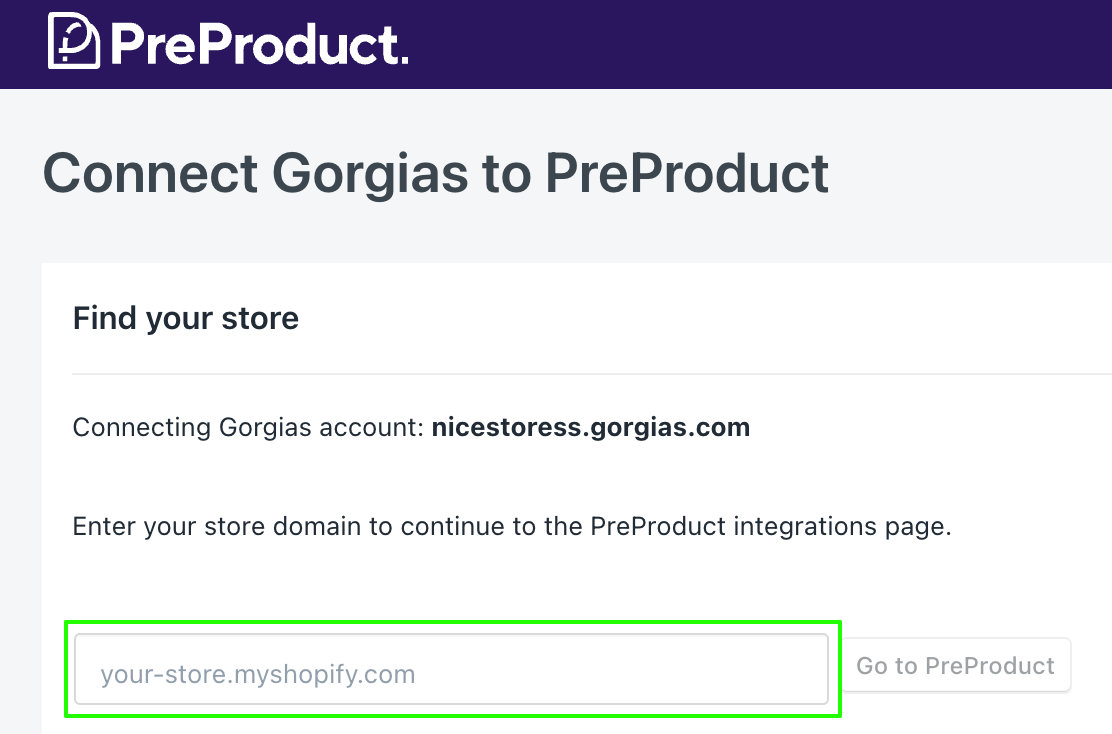
- In the app, add your Shopify store:
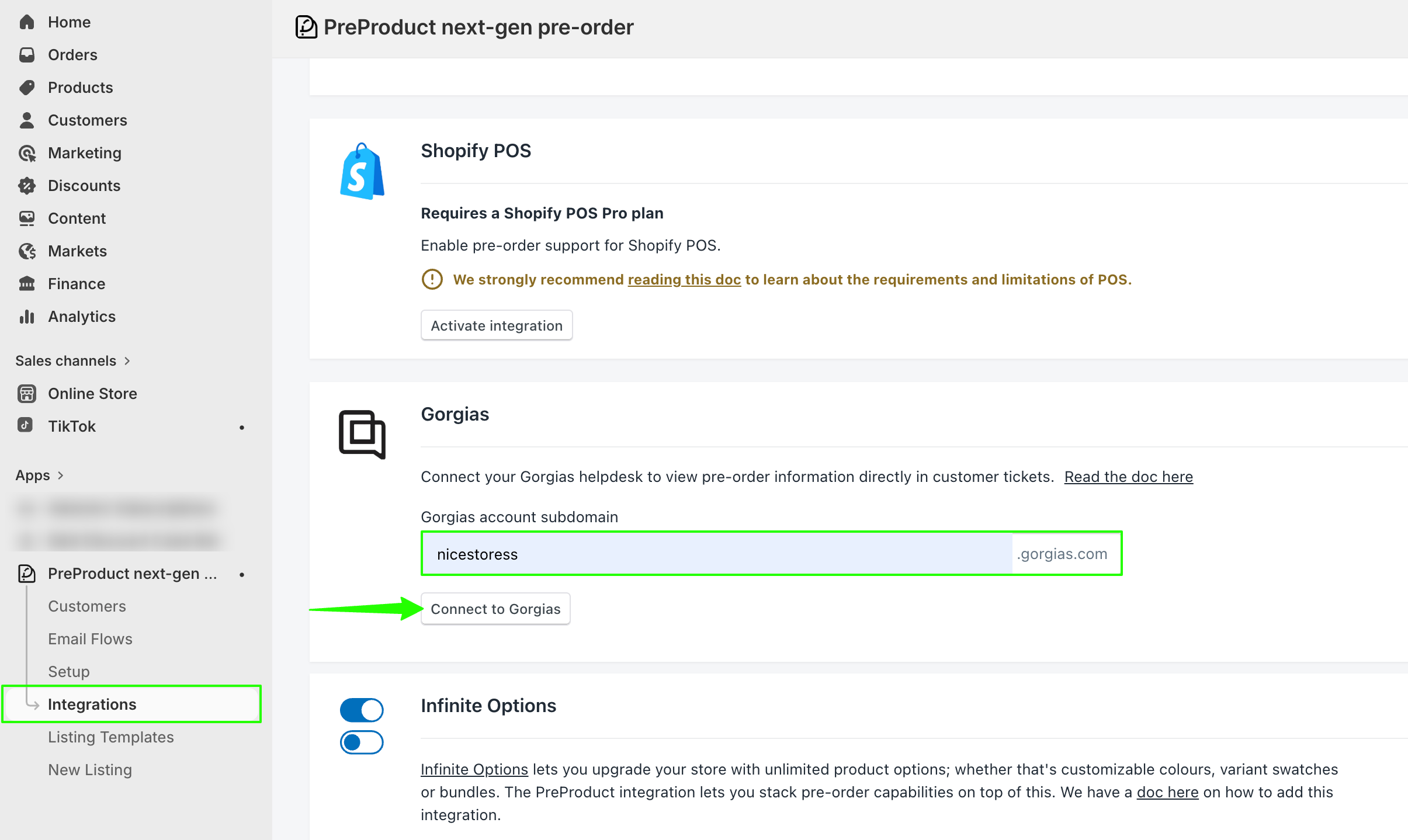
- Then, go to Integrations → Gorgias and add your Gorgias subdomain:
- Authorize the app
- Once installed, there will be an HTTP integration created:

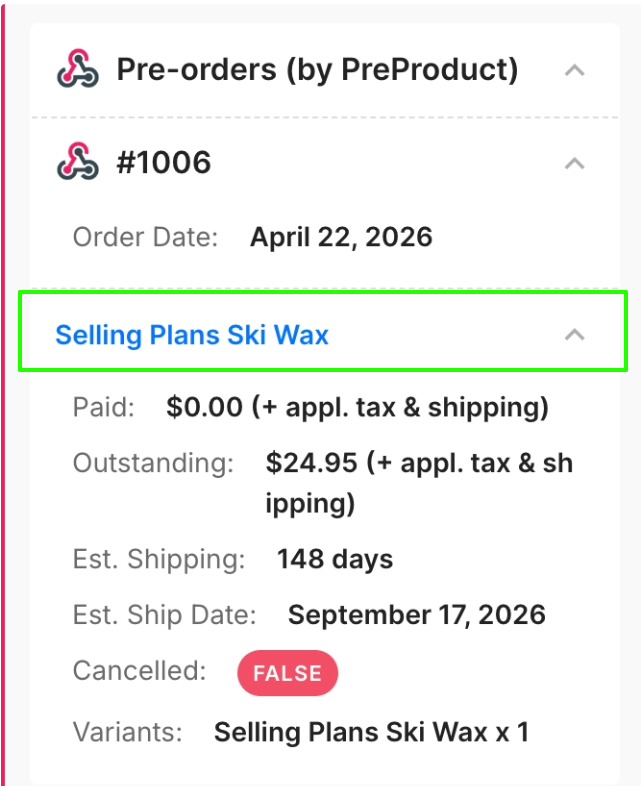
When a ticket is created/updated for a customer who has an active pre-order, the widget will appear in the sidebar with the pre-order details: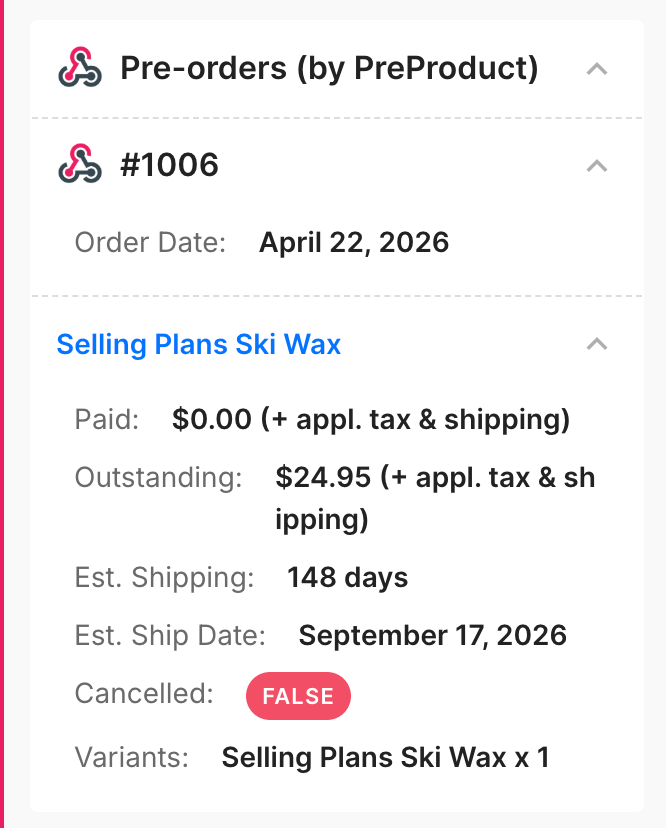
The widget will show up to 15 of the latest orders that contain pre-orders, organized by order number, with multiple pre-orders listed out within that order.
The order name link will open the customer portal, and you can share that same URL with the customer, who can then use it to self-serve (they can update or cancel themselves):