
SynclyUpdated 4 months ago
This integration was built by our partners and the wait time in case of any technical issues might be a bit longer than for a regular support request.
Syncly is an AI analysis-driven tool.
With AI feedback analysis, Syncly instantly categorizes feedback and reveals hidden negative signals.
Centralize all your feedback and take proactive actions based on real-time insights to elevate your five-star customer experience.
Integration benefits
- With Dynamic Sentiment Analysis, identify the most critical unresolved issues by proactively monitoring customer sentiment trends.
- Unleash automated tagging and confidently categorize, even amidst the overwhelming influx of customer feedback.
- Instantly visualize customer trends with hassle-free charts. Detect anomalies and share instantly for an alignment across organizations.
Setup steps
- From your Gorgias account, head to Settings → App Store → All Apps
- Find Syncly on the list
- After selecting the app, click on the Connect App button
- Log in and select a workspace (create one beforehand if needed)
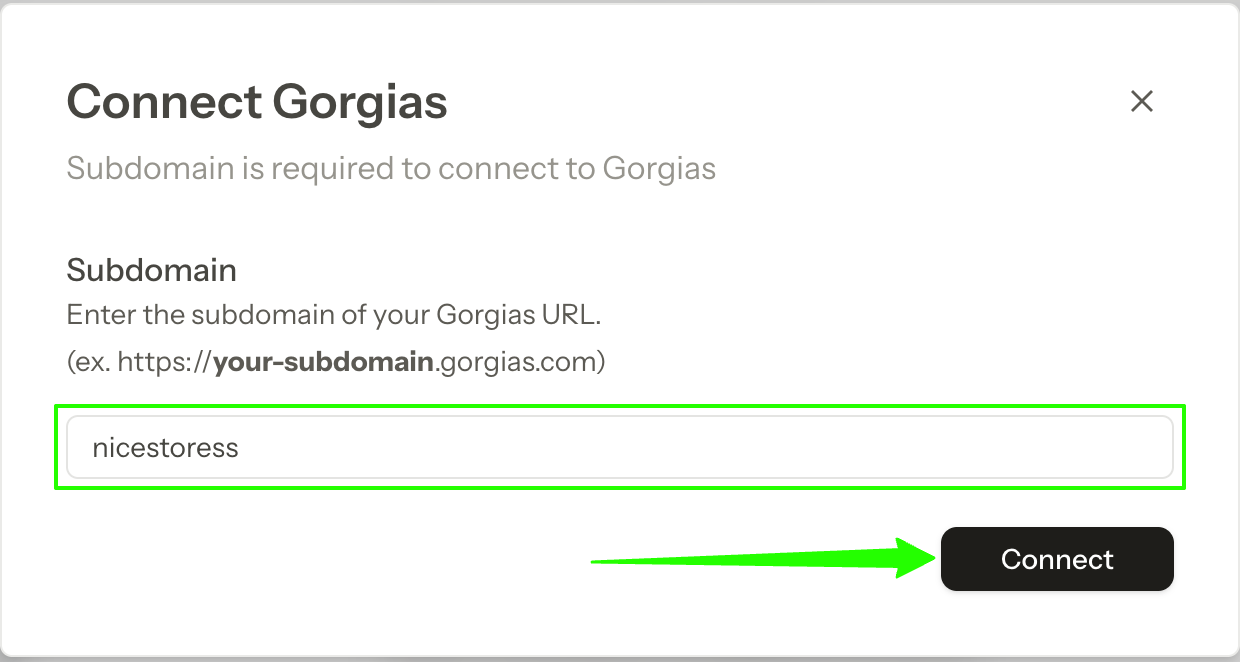
- In Syncly, go to Integrations → Gorgias, add your Gorgias subdomain, and click on Connect:
- Authorize the app
- Once installed, there will be an HTTP Integration created:

How it works
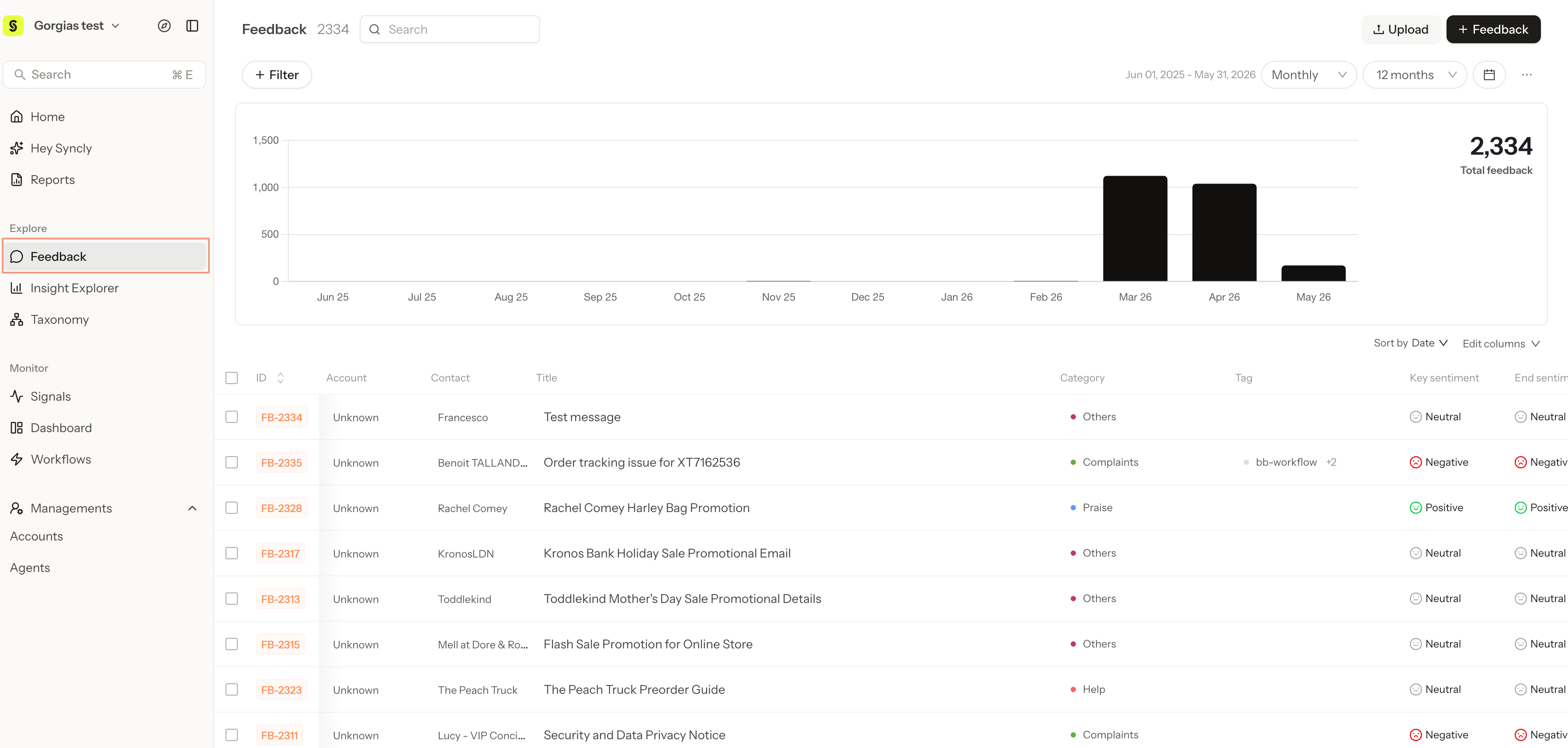
- Once the import is completed, the portion of the tickets together will be present within your dashboard:
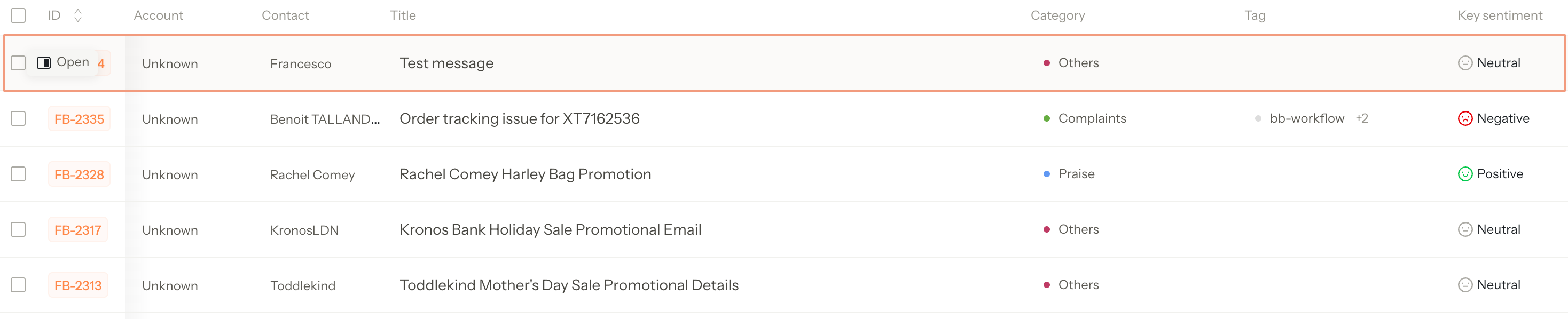
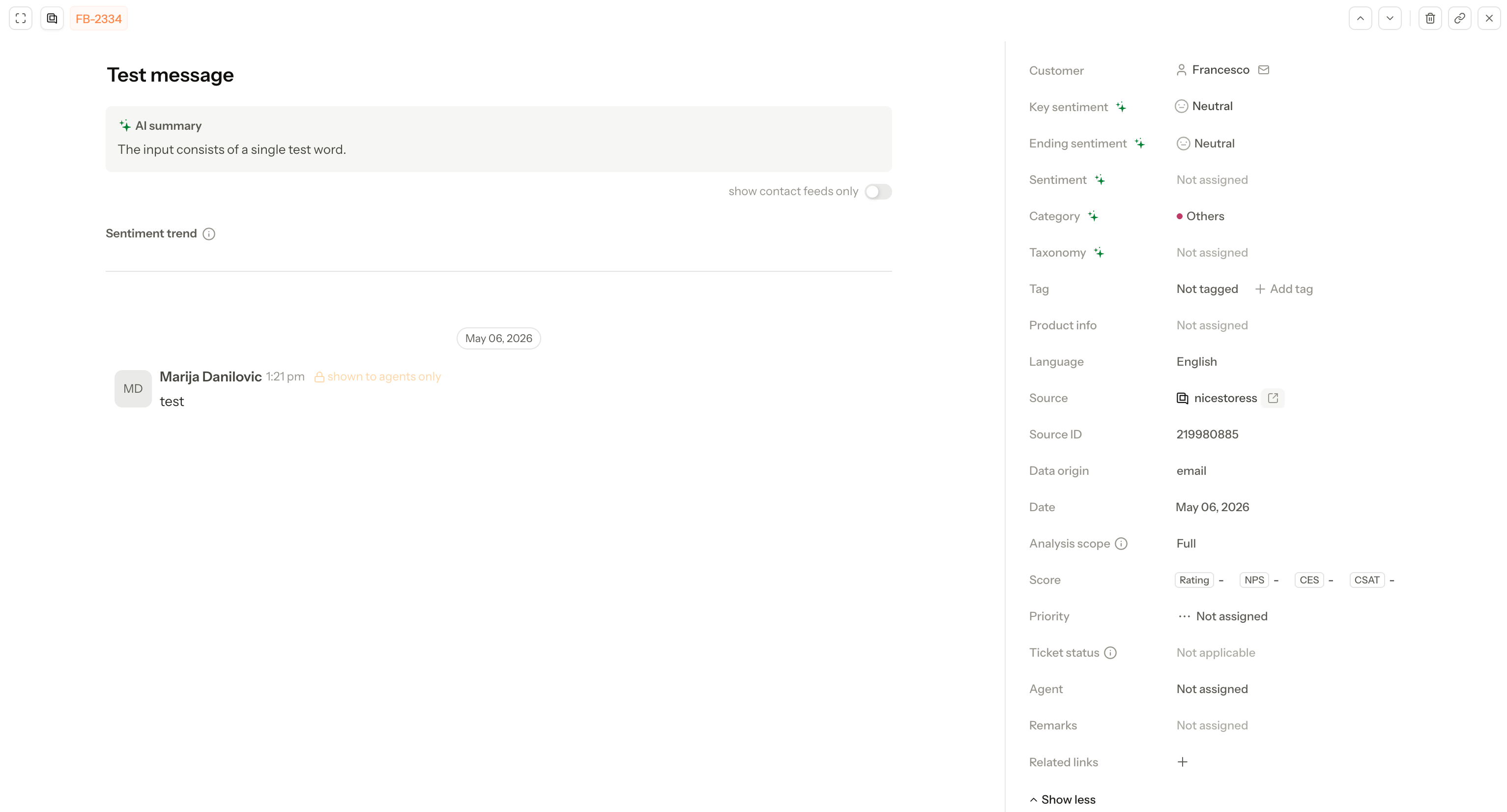
- Opening a ticket will grant you the summary of the ticket, together with the synced data consisting of data such as Agent name, ticket tag, sentiment, and source (Gorgias), etc.
Limitations
- Note that only one Gorgias account can be connected to each Syncly workspace.
