
TikTok ShopUpdated 4 months ago
This integration was built by our partners, and the wait time in case of any technical issues might be a bit longer than for a regular support request.
Stop the switch and start scaling! With Gorgias for TikTok Shop, you can resolve customer inquiries faster than ever by bringing your TikTok Shop data directly into your primary helpdesk. No more jumping between tabs -> view real-time order details, track shipments, and monitor return statuses all within the Gorgias workbench.
Whether you are managing a single storefront or a high-volume operation, Gorgias helps you provide a personalized, five-star experience that keeps your customers coming back for more.
Integration benefits
- Unified Workspace → Manage your TikTok Shop support alongside your other channels in one place.
- Real-Time Order Visibility → Instantly access the most recent order details directly in the Gorgias sidebar.
- Instant Logistics & Aftersale Tracking → Monitor active return and refund requests at a glance to ensure fast, accurate resolutions.
Steps
- From your Gorgias account, head to Settings → App Store → All Apps
- Find TikTok Shop on the list
- After selecting the app, click on the Connect App button
- Authorize the app
- Once installed, there should be an HTTP integration created:

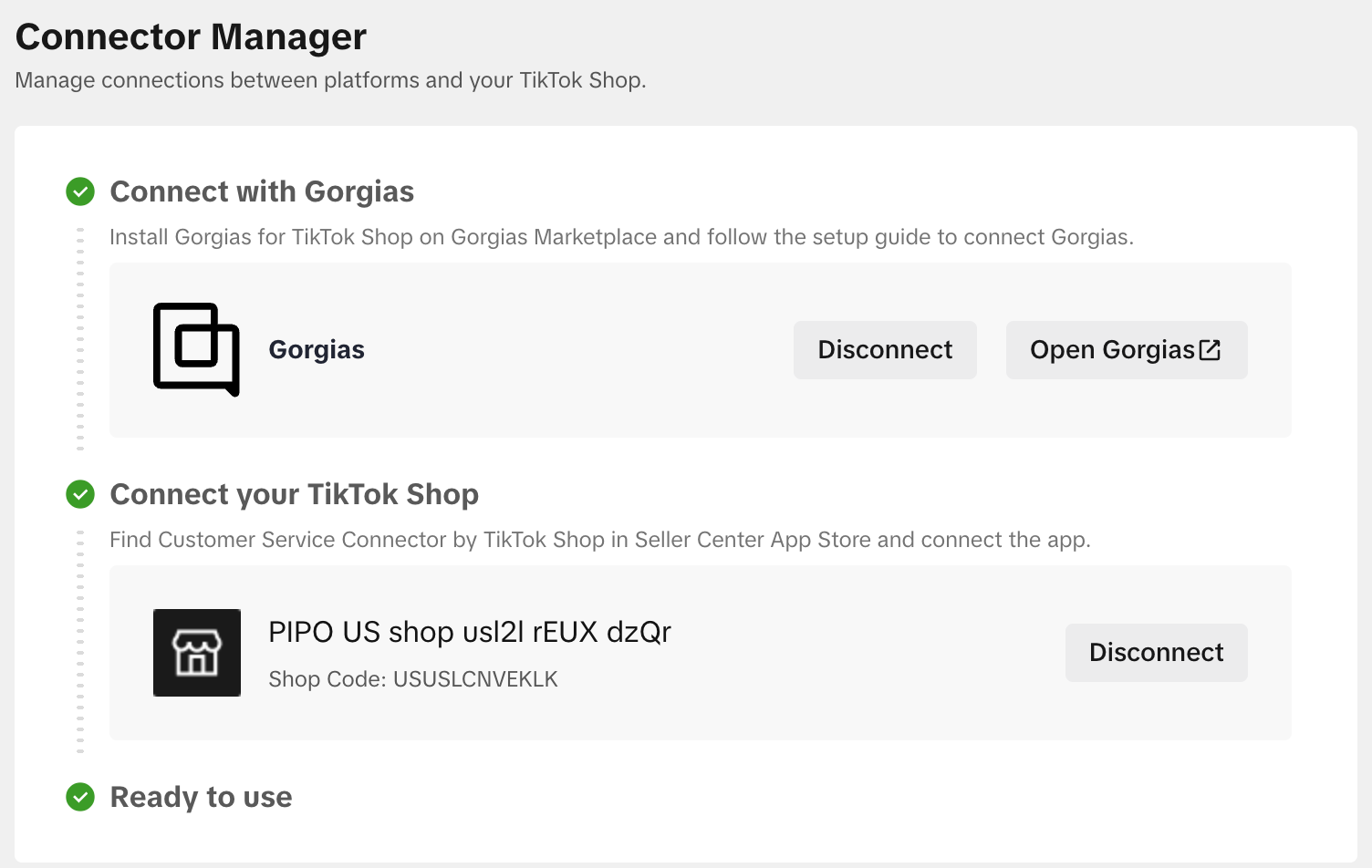
- You will also need to complete the TikTok installation in the TikTok App Store, and if both ends are successfully connected, this window should appear:
When a customer reaches out to a TikTok Shop that is connected to a Gorgias account, a ticket will be created in Gorgias, as well as a widget in the ticket sidebar: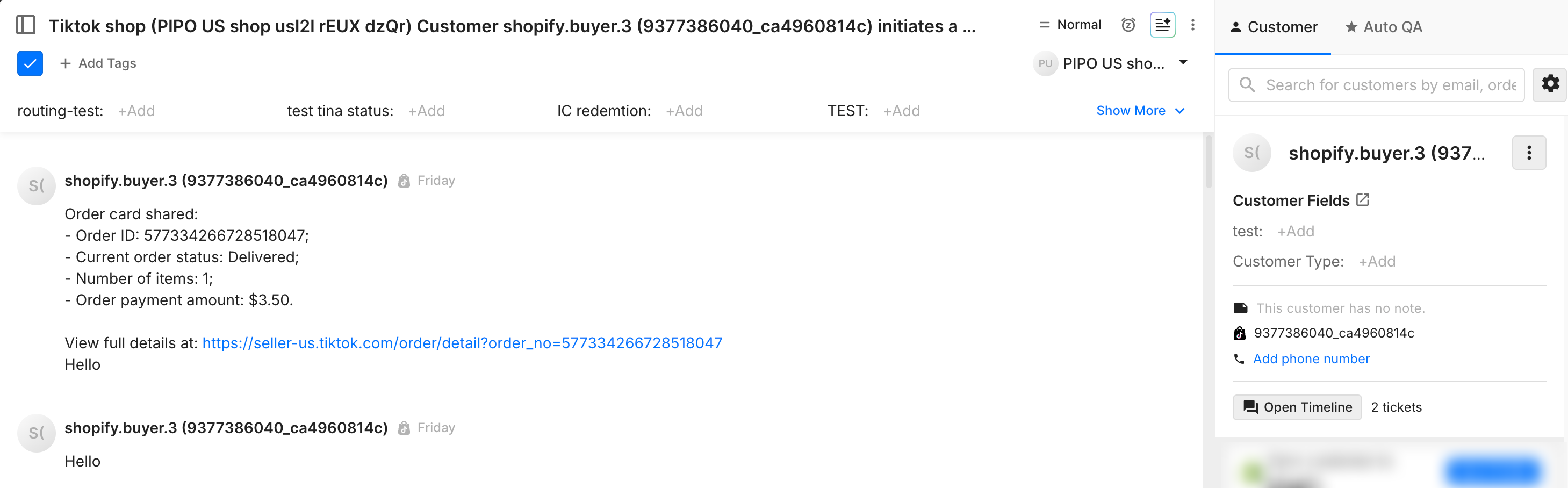
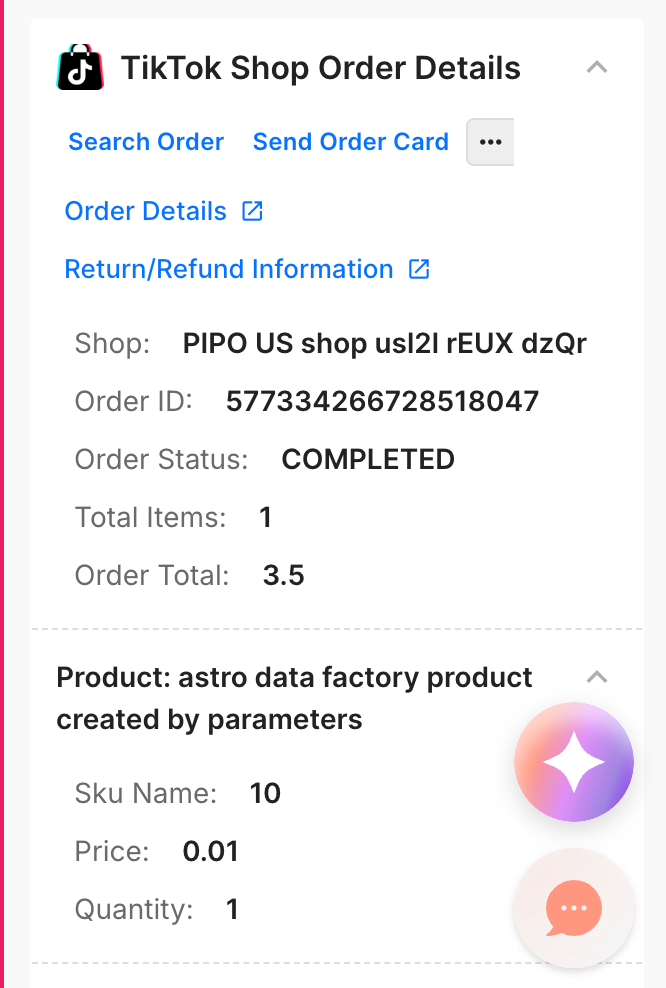
Widget Actions
Order details → Open the order in the Seller Center dashboard in the TikTok Shop app.
- Return/Refund Information → Open the ‘Manage returns’ page in Seller Center.
- Send Order Card → Send the order information via the Gorgias widget.
- Search Order → Locate the order by searching for it in the Gorgias widget.
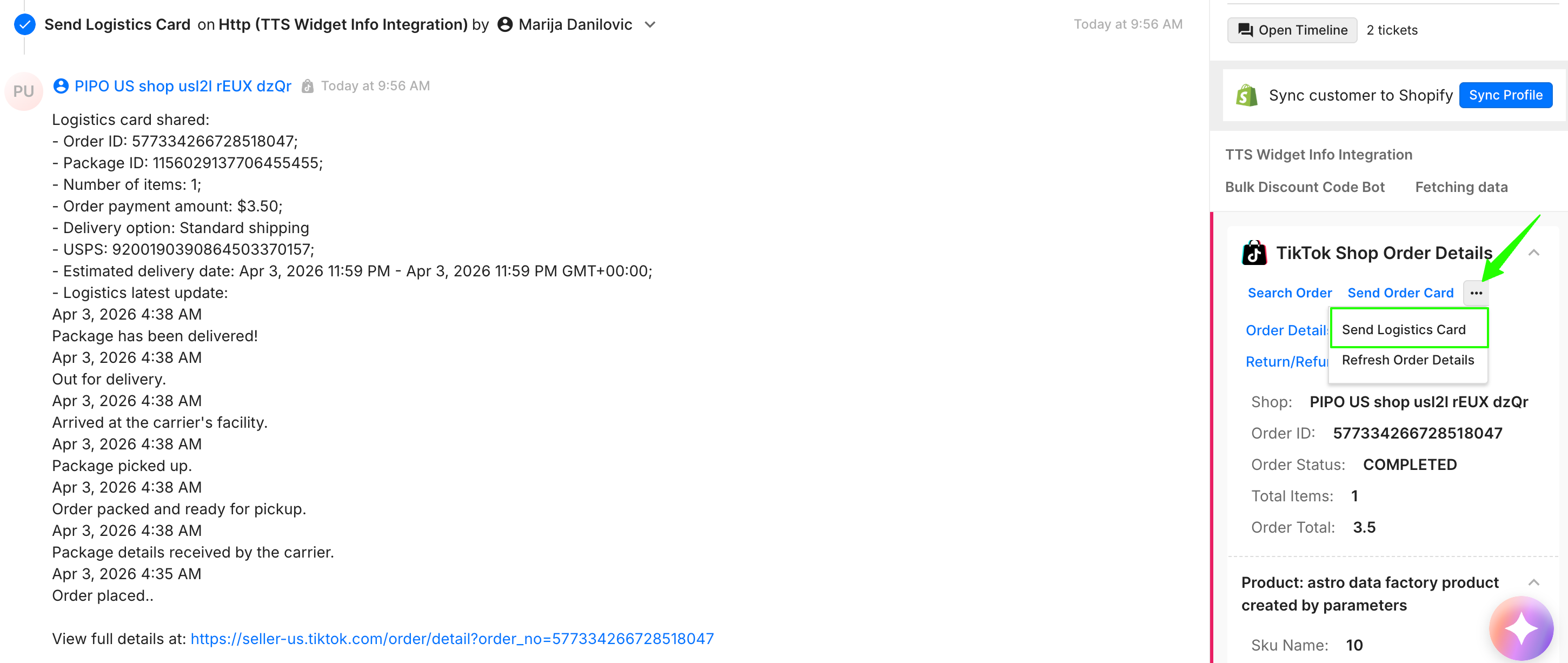
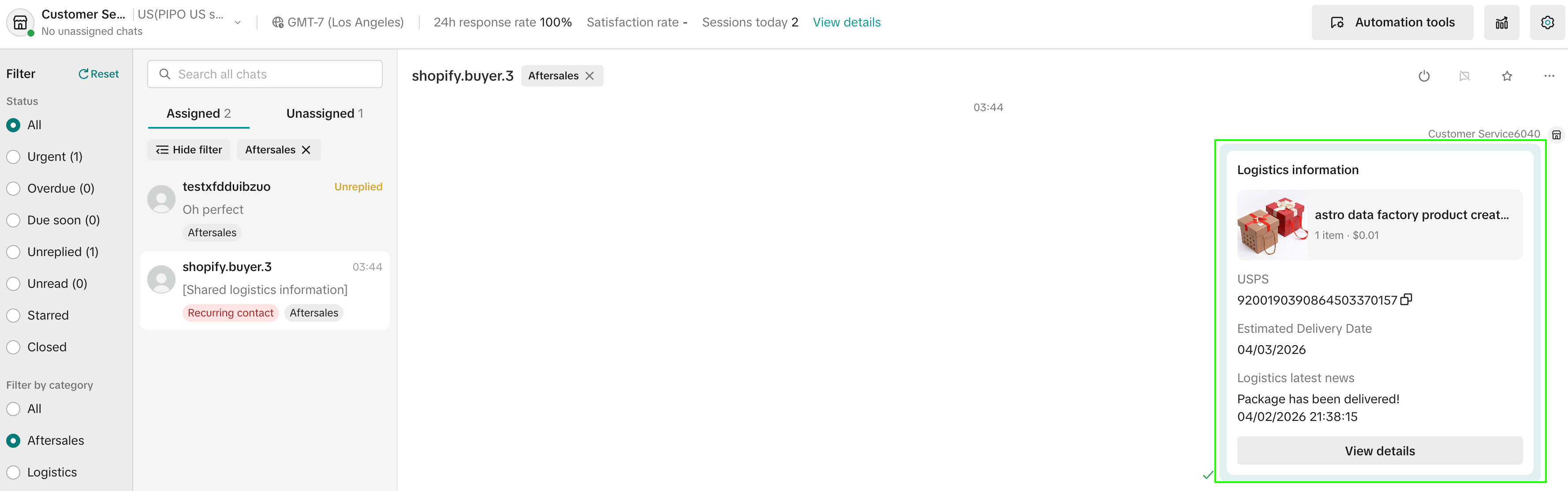
- Send Logistics Card → Send the logistics information via the widget, just like with the order card.
- Refresh Order Details → Refresh the order information via the widget.
Actions 3 to 6 will reflect in the Gorgias ticket, and the Order and Logistics ****cards will also be sent as a message to the customer via the TikTok Shop chat:
- Send Order Card:

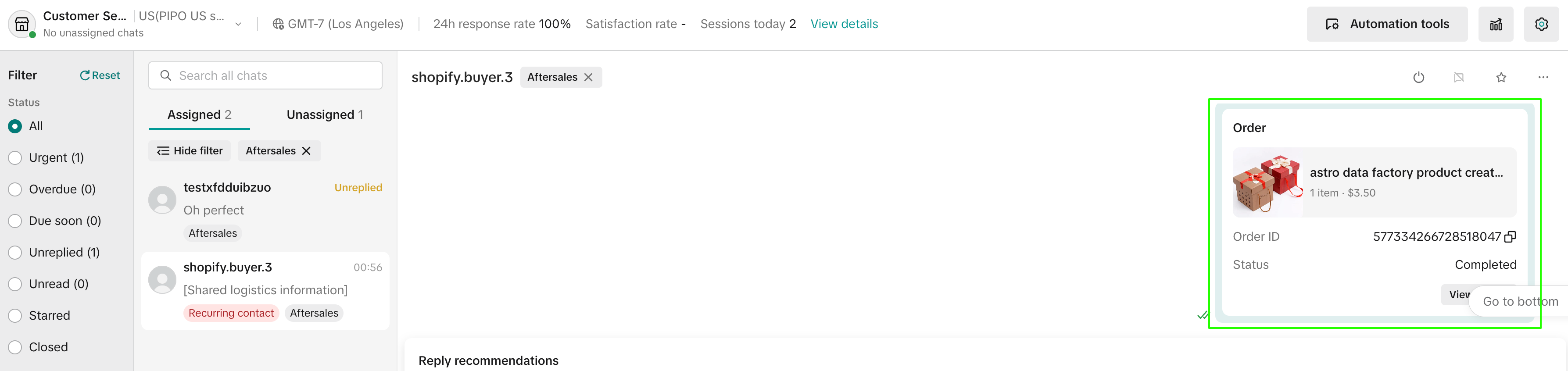
- Search Order:

- Send Logistics Card:
- Refresh Order Details:

FAQ
- What locations will the integration be available in? → At the moment, this is only launching in the US, but more regions may follow in the future. The integration will also only be available in English.
- Does the integration support tagging? → Not at this time. Tagging is only available within the TikTok Shop chat, but not with Gorgias tickets.
- Does the integration support different languages? → No, TikTok Shop only supports English at this time.
- Can messages be translated? → When sending a message in a different language from the TikTok Shop chat, the app will translate it into English and then send it to the customer. However, when sending the message from Gorgias, it will remain in the original language when received in the TikTok Shop chat, and won’t be translated. The customer will see the same, depending on where the message was sent from.
- What channel are the TikTok Shop tickets created through? → They are pulled in via the API channel, but the filter to find the tickets is 'Channel = TikTok Shop'.
- Are DMs and comments supported? → This integration specifically addresses TikTok Shop interactions, excluding the handling of direct messages (DMs) and comments.
- Can you change the TikTok Shop customer service status? → No, you can't change your TikTok Shop customer service status using this integration.
- Can you see the shopper's TikTok purchase history? → Yes, with this integration, it's possible to see the shopper's TikTok purchase history.
- Can outbound messages be initiated from Gorgias? → Outbound conversations can't be started using Gorgias Tickets yet.
- Can the TikTok Shop channel be used in Rules? → Yes, it is now possible to select the TikTok Shop channel in Rules.
- Is the TikTok Shop bot supported? → Messages from the TikTok Shop bot aren't supported and won't be imported at this time, but it is planned in the future.
- Can I connect more than one shop? → Yes. You can manage multiple shops by completing the authorization flow for each shop ID.
- Will the same ticket reopen with a new customer message? → Yes. Reopening is the expected behavior to ensure the agent gets complete historical context. Creating a new ticket for the same customer is not supported at this time.
- Do tickets need to be closed manually in both Gorgias and TikTok Shop? → Yes, closing a ticket in one place does not automatically close it in the other.
- Why are unassigned TikTok Ship chats not reflecting in Gorgias? → Chats will only appear in Gorgias if they have already been assigned to a team member in TikTok.
- How is FRT calculated? → TikTok Shop sets "from agent" =
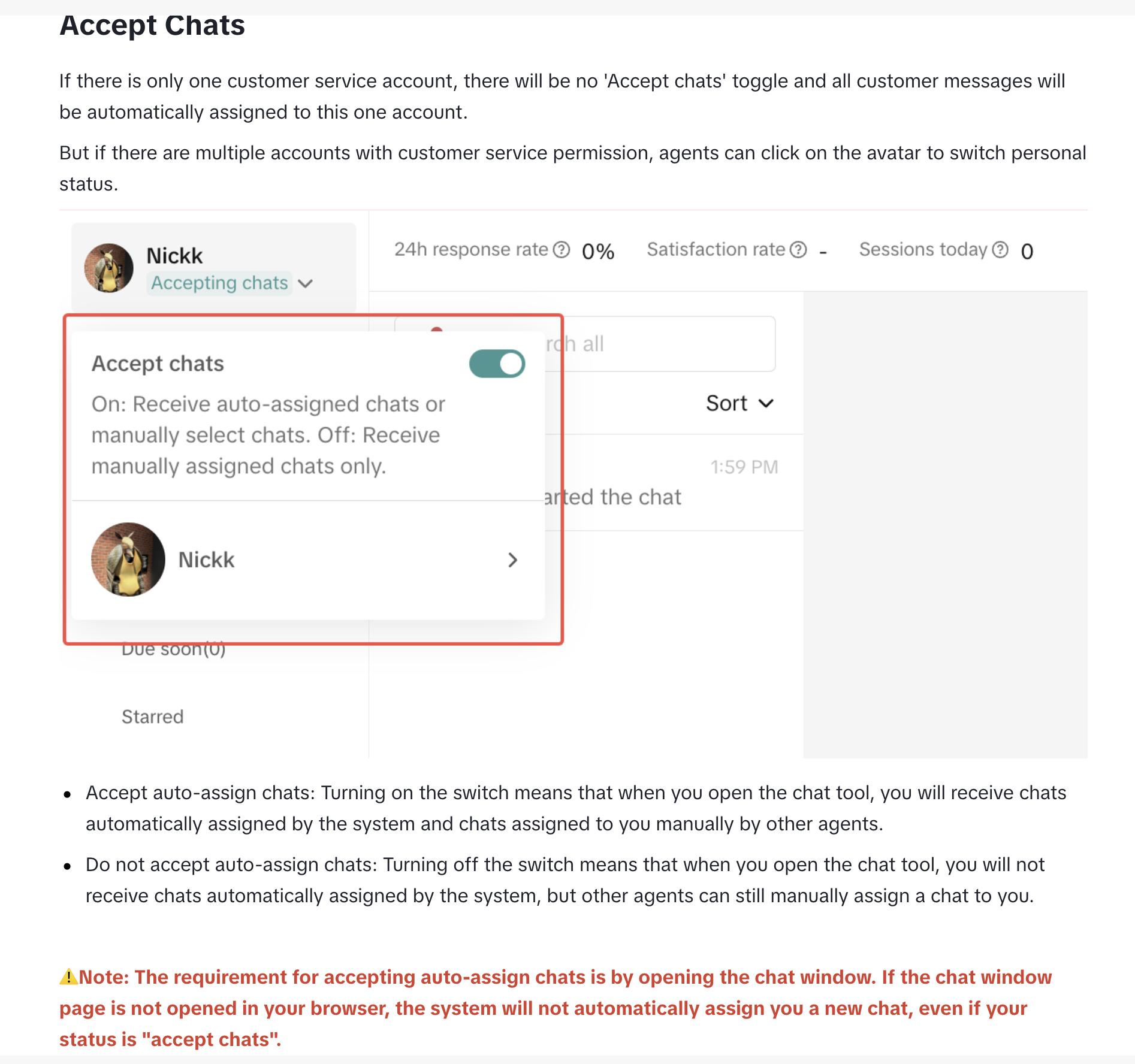
falsefor all messages coming from[TTS SYSTEM] New Ticket Created, which means they won't be taken into consideration for any metrics calculation. - Why are messages not being pulled into Gorgias? → Make sure that the user is "accepting chats" in the TikTok Shop seller center:
Supported Multimedia
- Text messages are supported up to 2000 characters.
- All images are supported (up to 10mb) except for SVG. Images can be sent and will be visible in both Gorgias and the TikTok Shop chat, as well as on the customer’s end.
- MP4 videos under 100mb are supported.
- Audi files are not supported.
- URL links can be sent. They are ‘clickable’ in Gorgias, but not in TikTok Shop (the link will need to be copied).
The widget may appear in non-TikTok Shop tickets, which will be noted in the widget itself: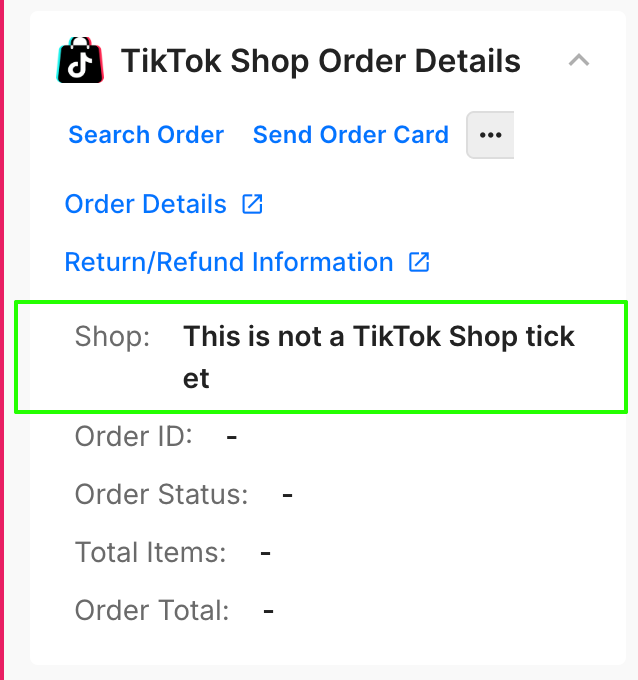
Not receiving TikTok Shop messages in Gorgias
Disconnect the app by navigating to Settings → Installed Apps → TikTok Shop. Once you've disconnected it, please connect it again per the instructions above.
