
Autoresponder Rules 101 (deprecated)Updated 8 months ago
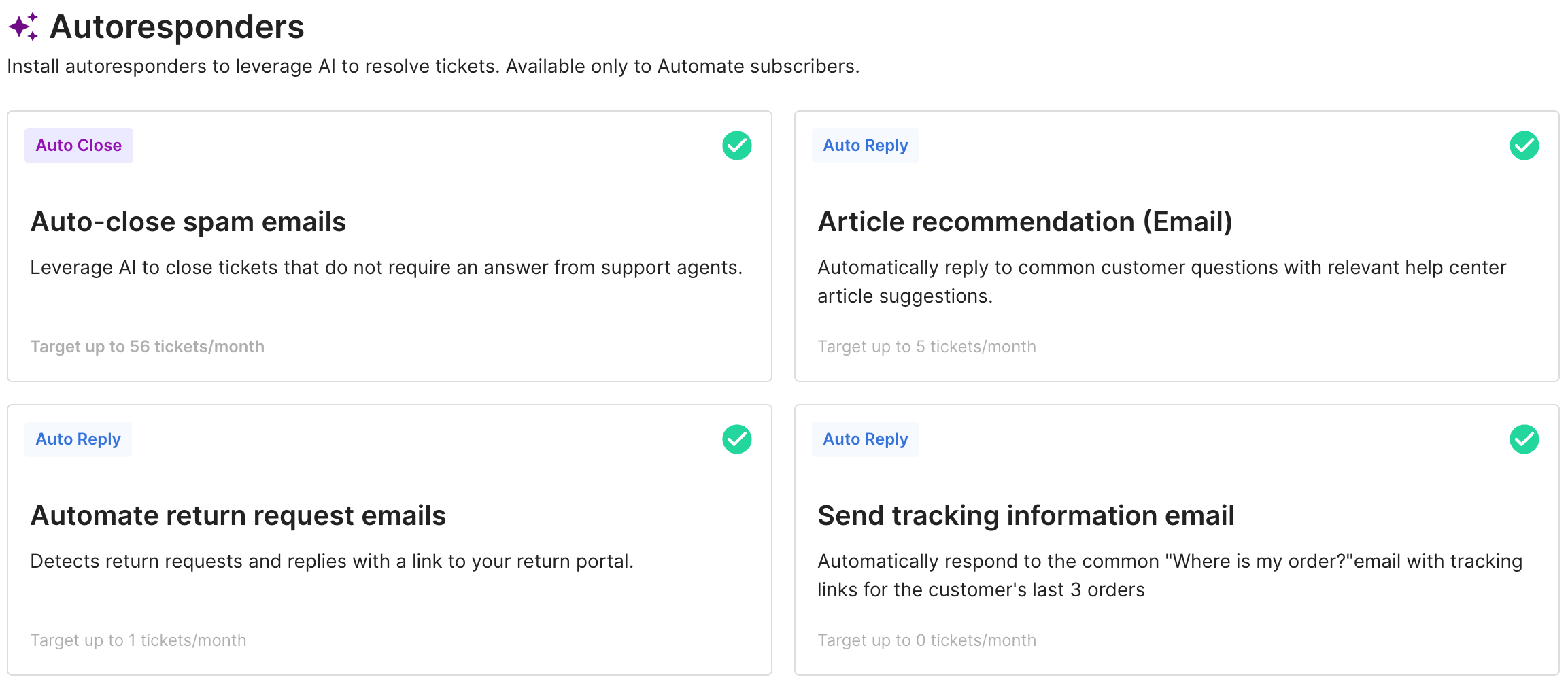
Autoresponders are Rules that use AI technology to deflect and resolve tickets. They don't need code or setup and can be installed directly from the library.
Requirements
- You must have an active AI Agent subscription to use Autoresponder Rules
- You must have Lead, Admin or Owner permissions to manage Rules
- Autoresponder Rules are available for Shopify, BigCommerce and Magento stores (with the exception of Send tracking information Rule, which is only supported on Shopify)
Enabling Autoresponder Rules
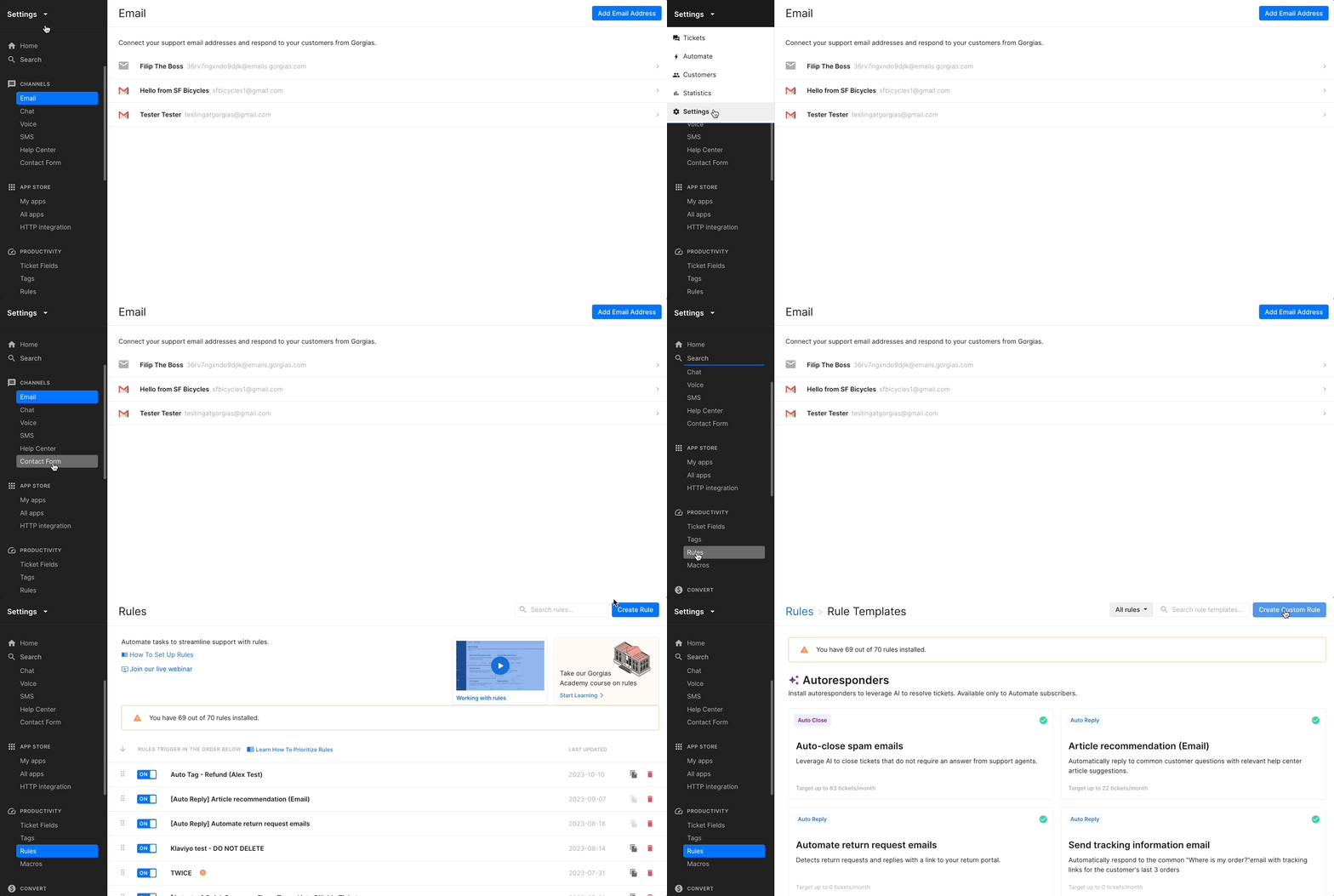
To access the Rule Templates tab, navigate to Settings → Rules, and click on Create Rule - from there you'll be able to see the list of Autoresponders.
To install them, simply select a Rule, edit it as you'd like, and click on Update Rule. You can also create a new View from the selected Rule automatically.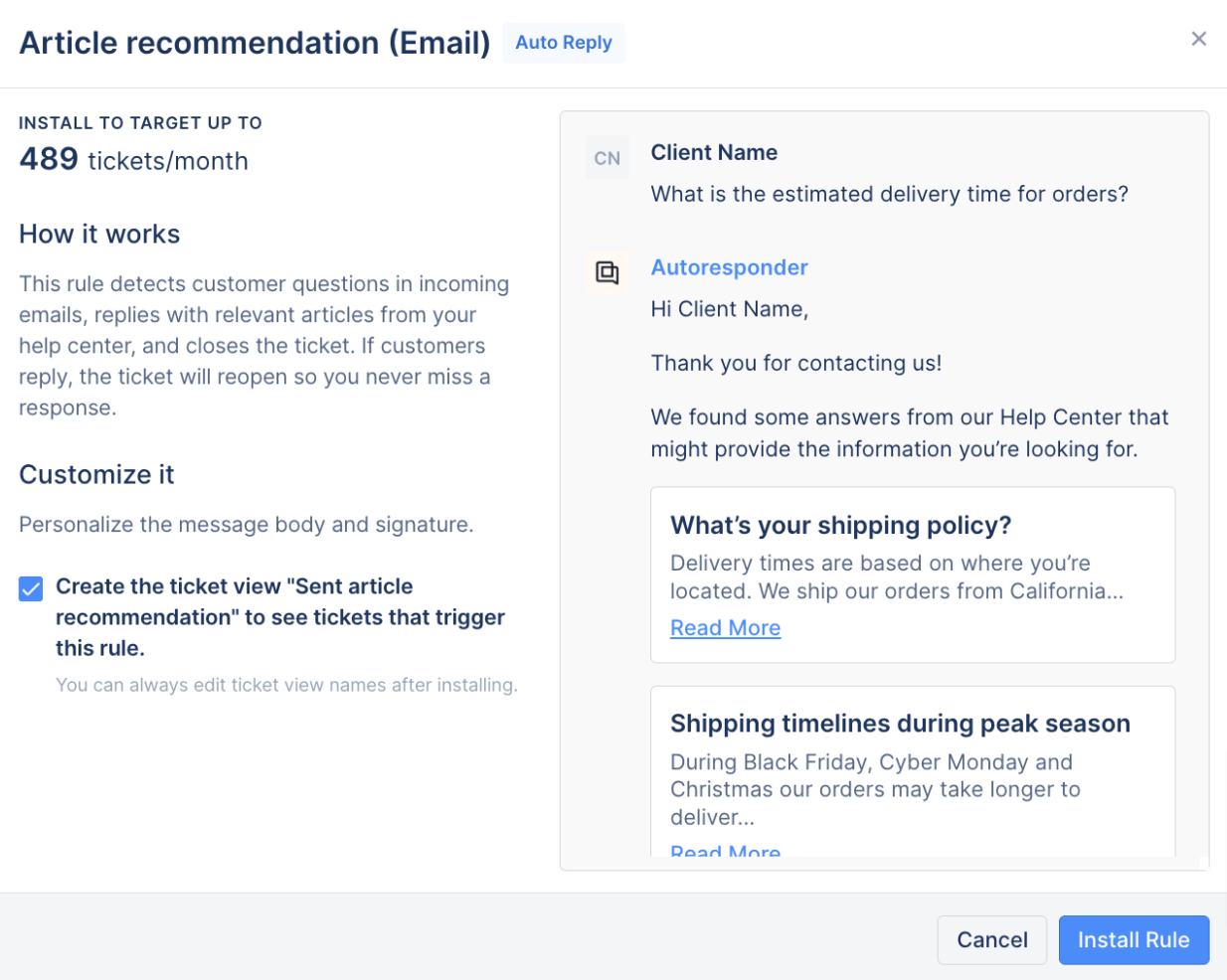
You can open the Affected tickets tab or click on View Tickets Closed By Rule to see the exact impact of your new Rule on your ticket handling.
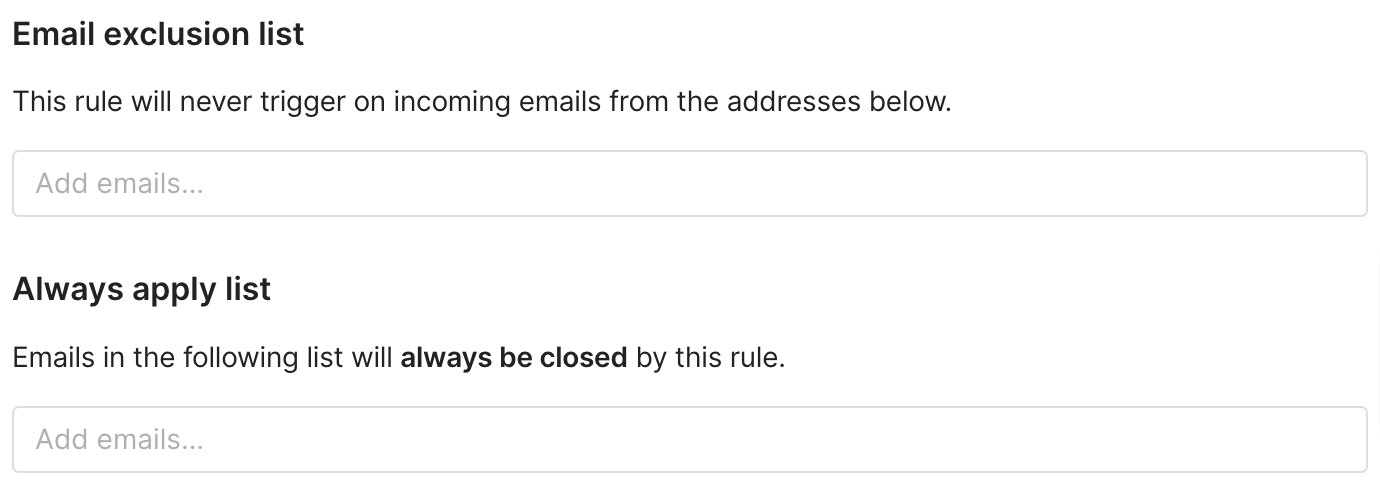
You can also exclude certain emails where you don't want this Rule applied by adding them to the Email exclusion list or vice versa - add email addresses that the Rule should always apply to by filling in the Always apply list.
 Once you're happy with the setup, click on Update Rule.
