Auto-Reply common Rule templatesUpdated 23 days ago
These Rules will automatically reply to and tag tickets.
General
Autoresponder
Use case: Automatically replies to new Email tickets.
Example: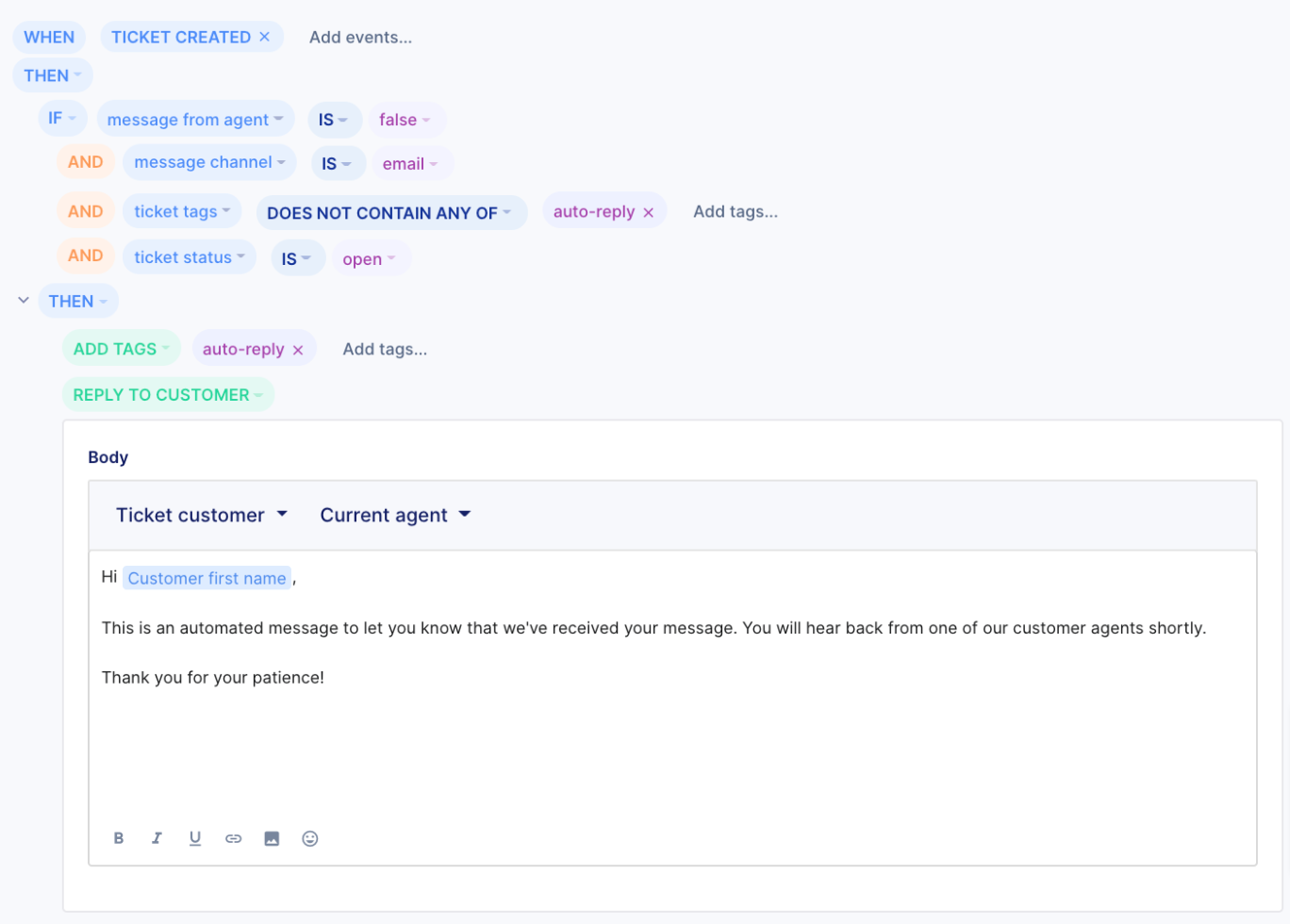
Outside business hours
Use case: Automatically replies to new emails received outside business hours.
Example: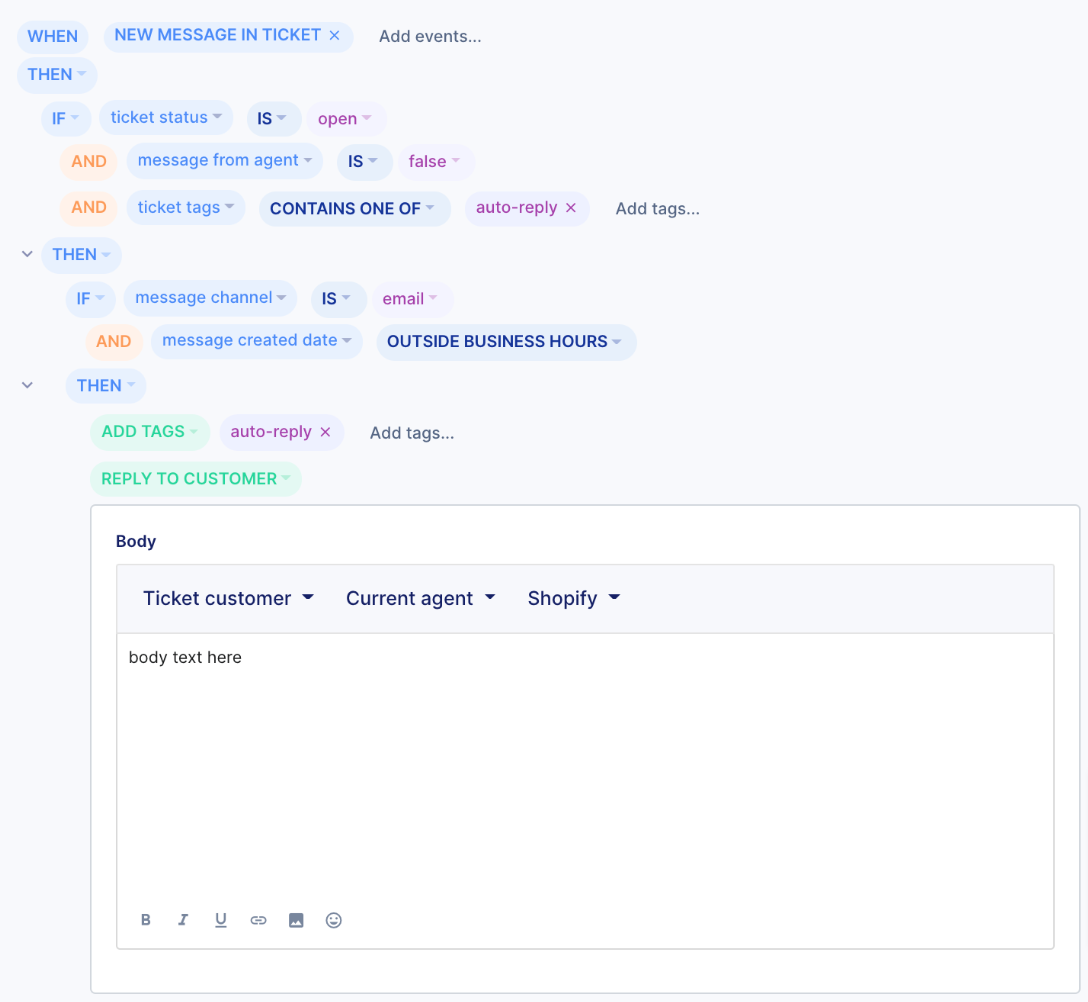
During a holiday
Use case: Automatically replies to new tickets created during a holiday closure, like letting customers know when your team will be back. Before you create this rule, add holiday hours for the dates you're closed.
Example:
- WHEN ticket created
- IF created date of ticket during holiday hours Christmas schedule
- AND message from agent IS NOT true
- THEN Reply to customer with a message like "Thanks for reaching out! Our team is closed for the holidays and will reply when we're back on January 2."
- AND Add tags holiday
Shopify
Shopify Order Status
Use case: Automatically respond to order status inquiries from Shopify customers including tracking information where applicable
This Rule will send a different response to customers depending on their order status in Shopify:
- Customers with a recent purchase (<20 days) + tracking information for order -> automatic reply will include a tracking link and the ticket will be automatically closed.
- Customers with a recent purchase (<6 days) + no tracking information for order -> automatic reply will let them know their order is still being processed, to expect tracking information once shipped and the ticket will be automatically closed.
- Customer with a recent purchase (>5 days) + no tracking information for order -> no reply will be sent, the ticket will be tagged as urgent/not-shipped.
- The customer doesn't have any orders -> an automatic reply will request further information.
Example: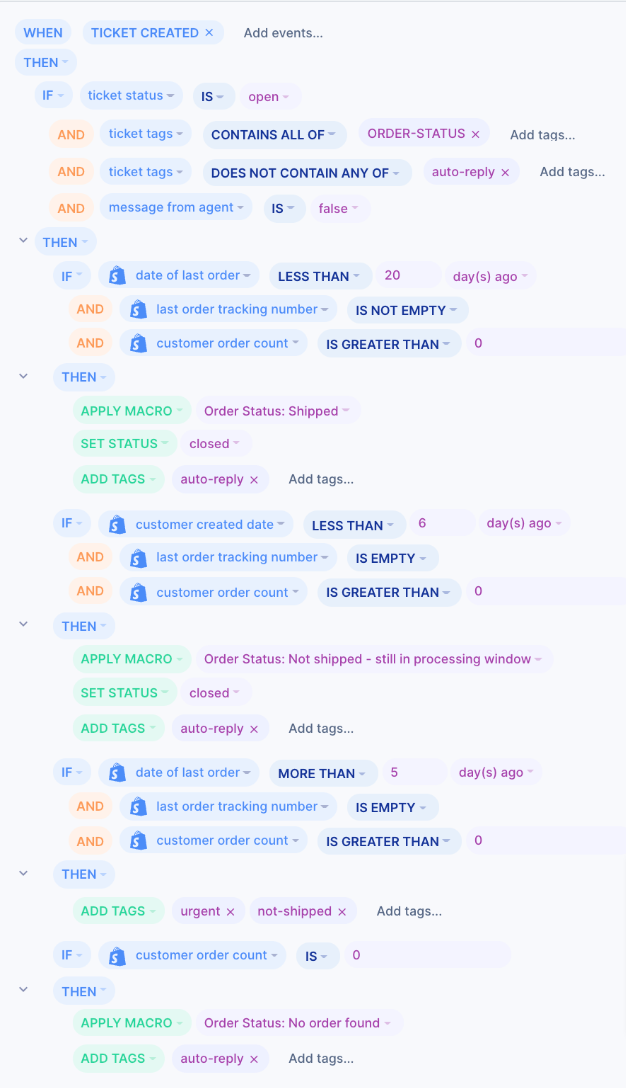
Preorder
Use case: Automatically replies to order status inquiries tagged as preorders in Shopify.
Example: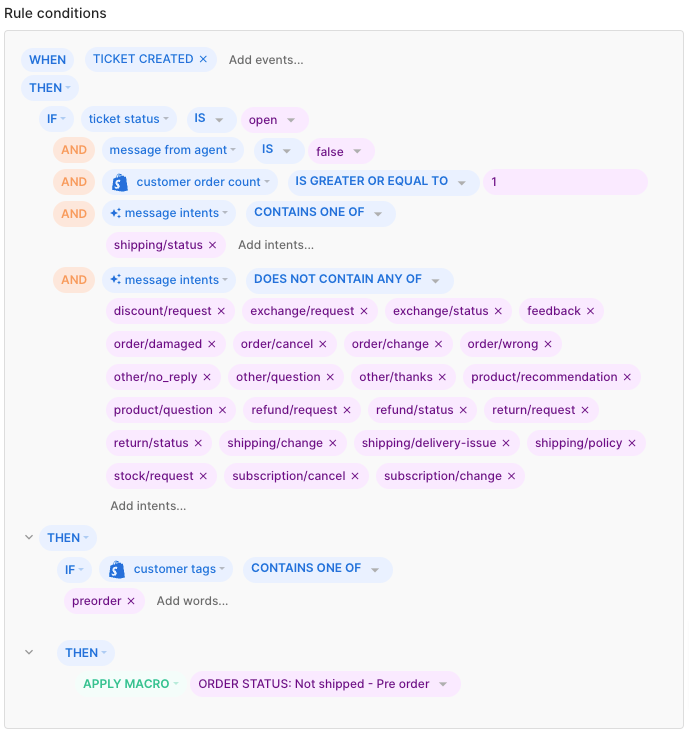
Automate
Returns - Return portal
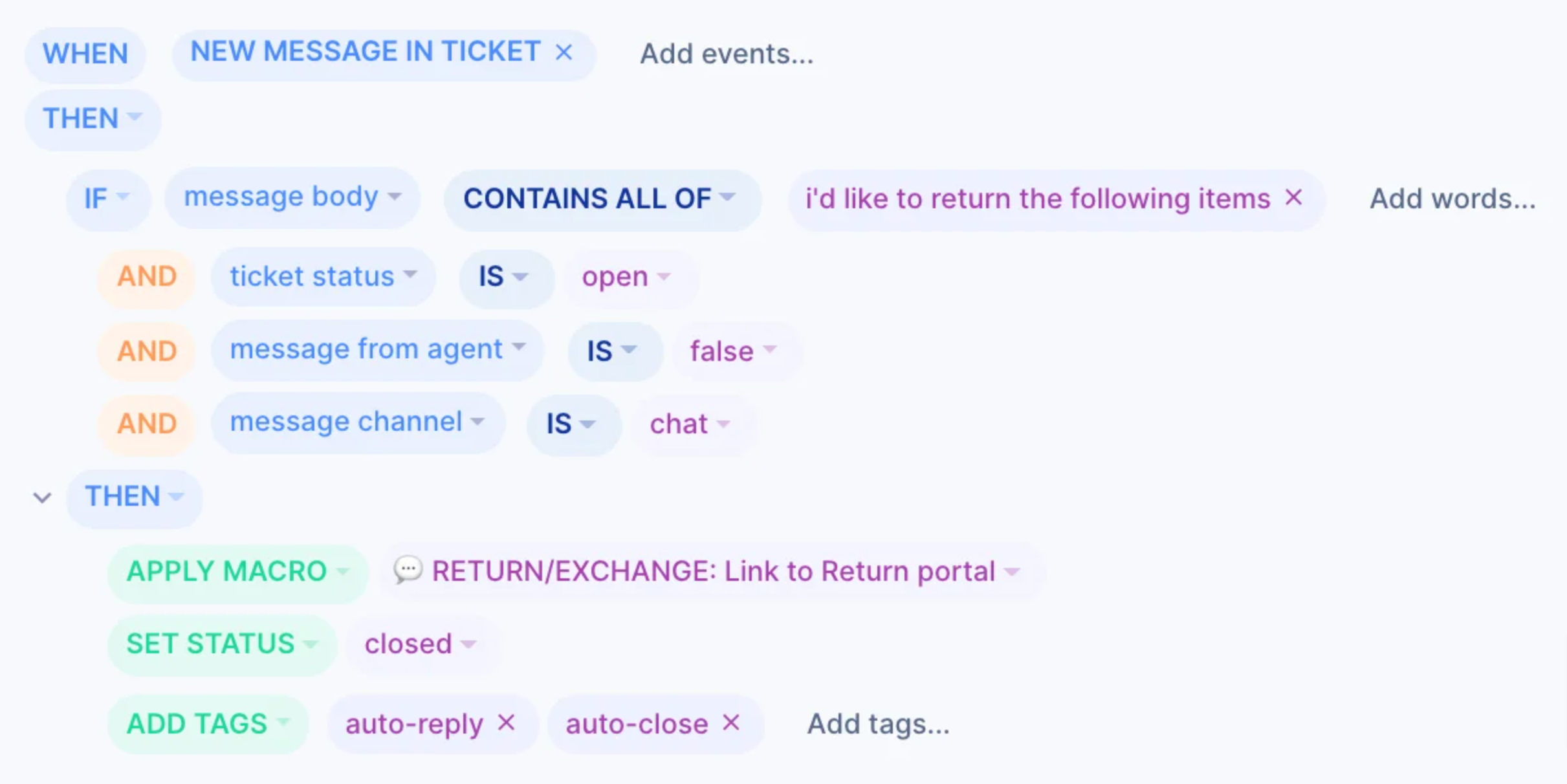
Use case: Automatically sends customers a link to the returns portal if they make a return request via Order Management in Chat.
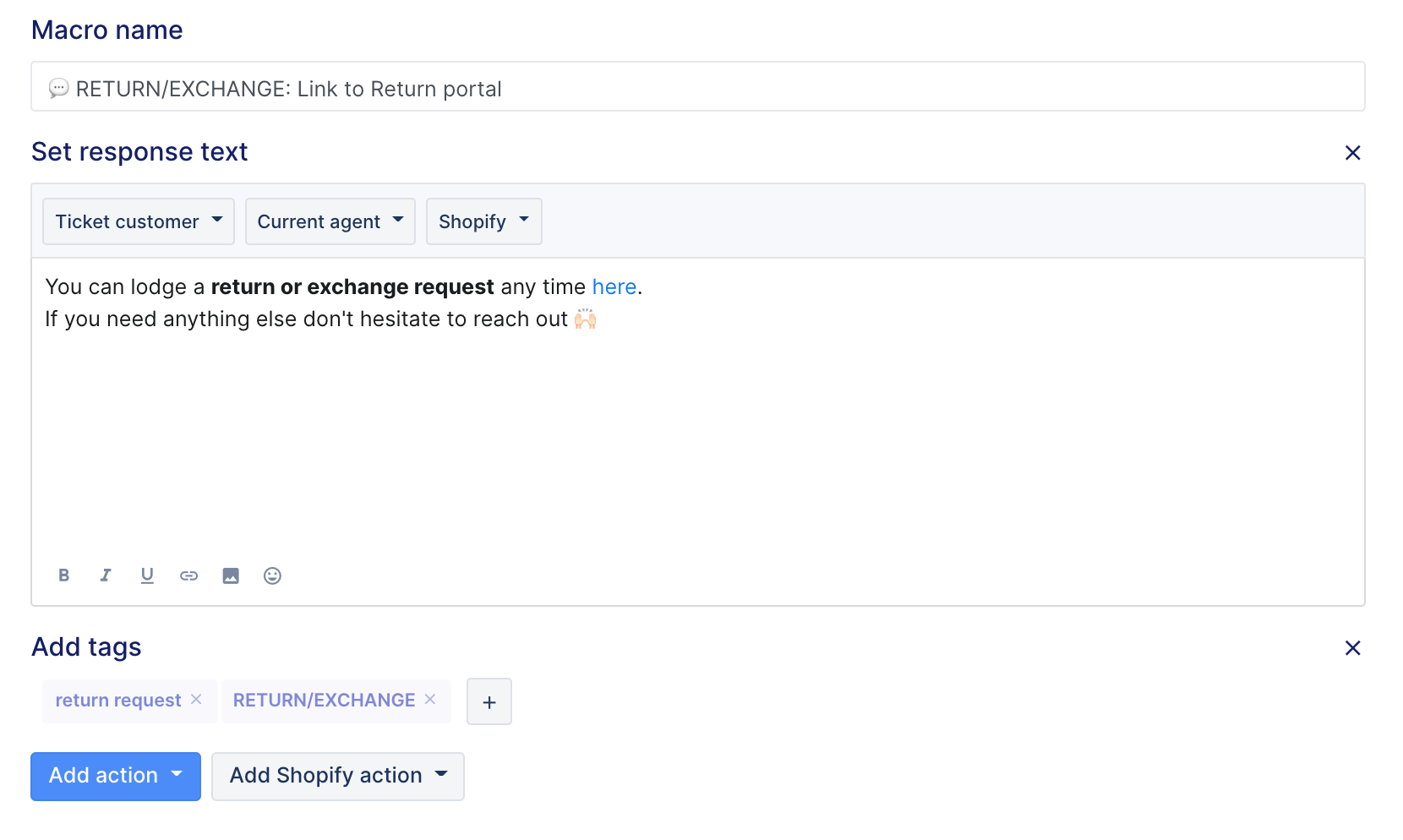
This Rule is triggered by automation in Order Management and uses a Macro as the reply message - customers will only be sent the returns portal link if the order they want to return is eligible.
Rule:
Macro:
Returns - Cancellations
Use case: Automatically requests further information if the customer makes a cancellation request via Order Management in Chat.
This Rule is triggered by automation in Order Management and uses a Macro as the reply message - customers will only be sent the request for further information if the order they want to cancel is eligible.
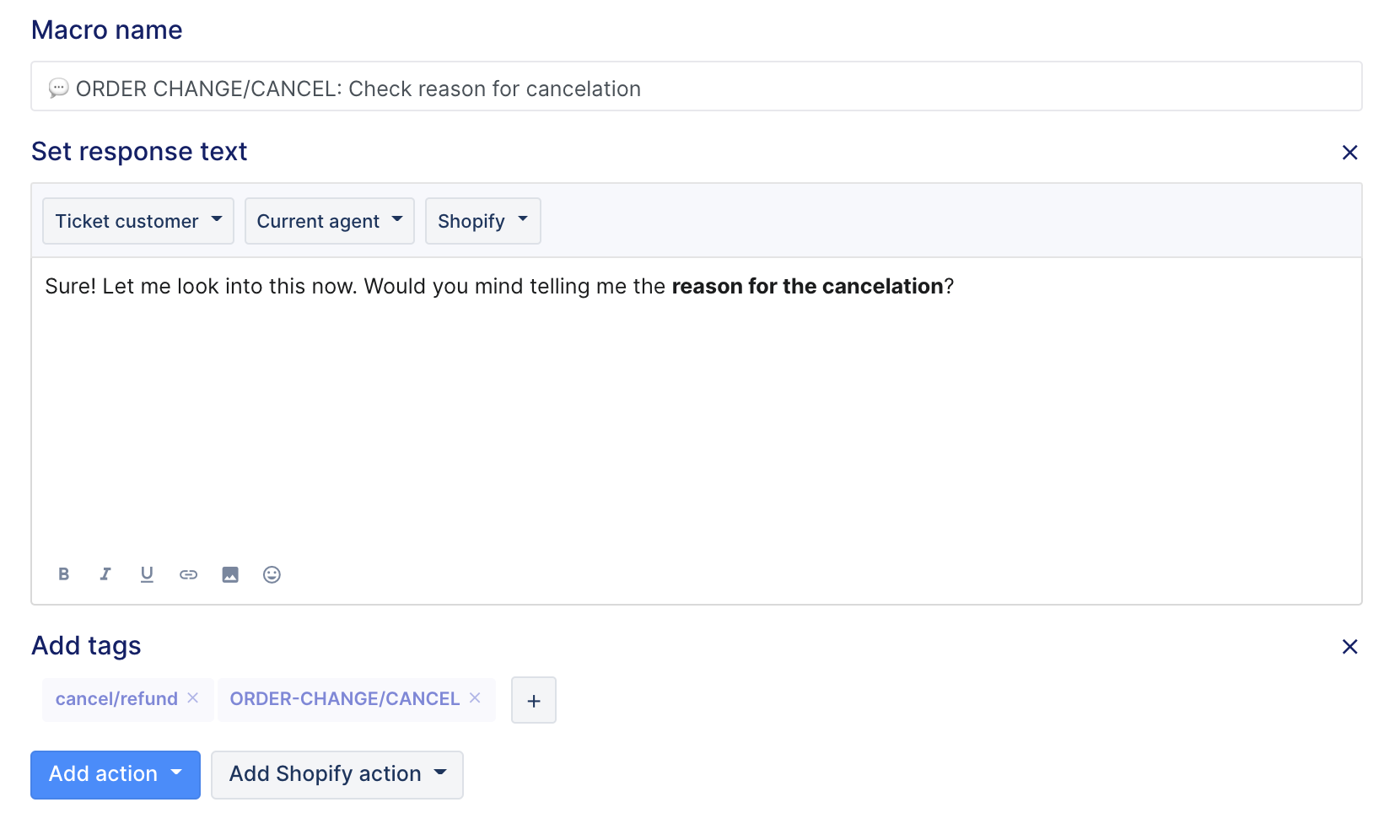
Rule: 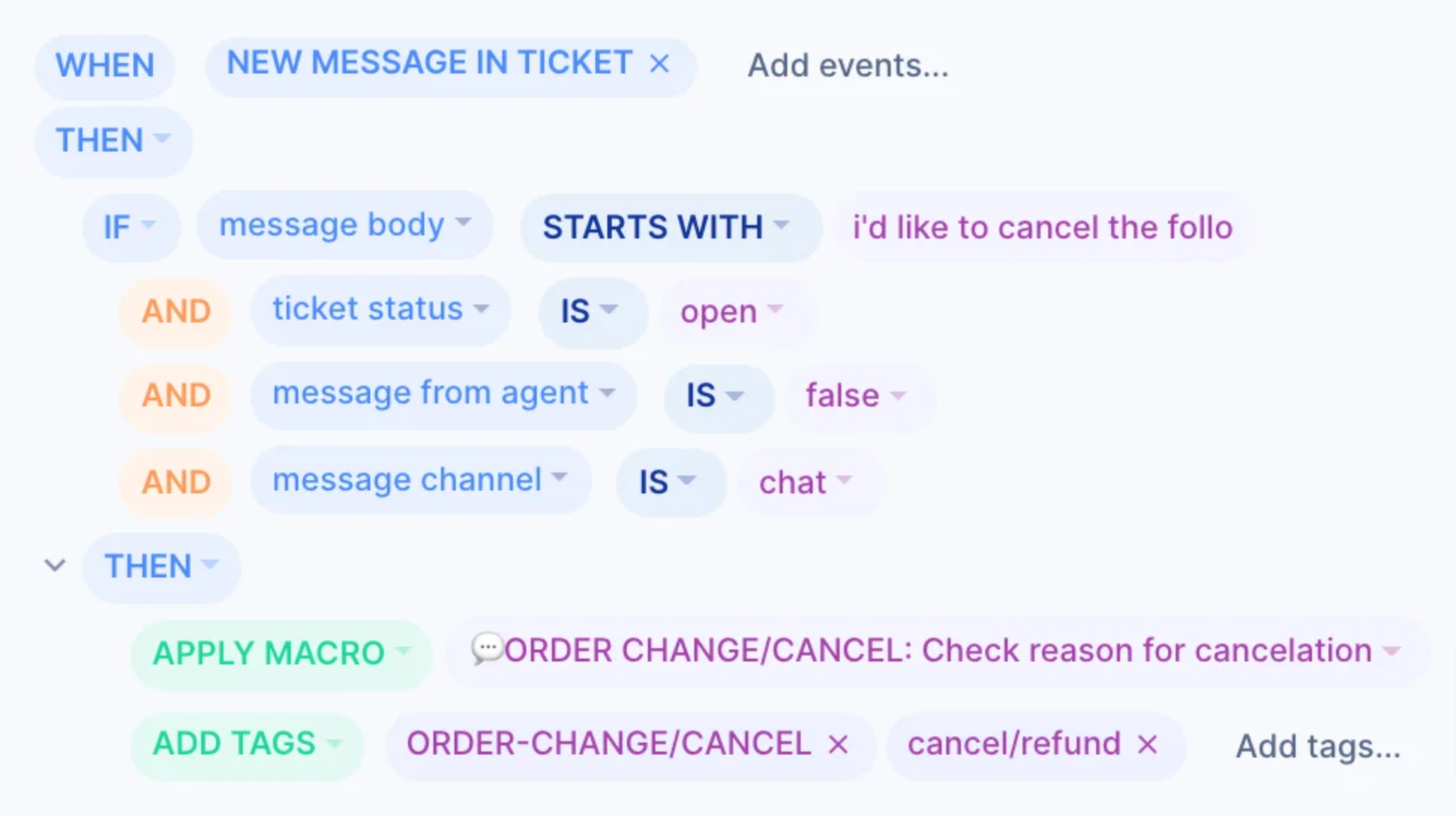 Macro: